
Notícias

iPad Display Issues with Stylus: Why Copy Pens Cause Touch Problems

iPad Display Issues with Stylus: Why Copy Pens Cause Touch Problems

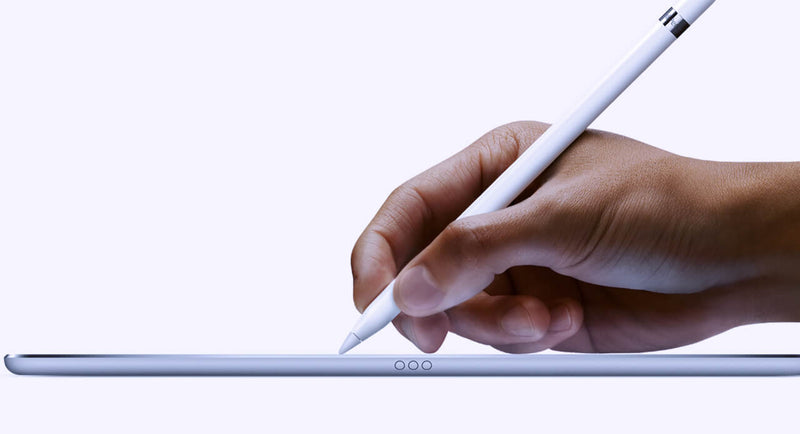
Lately, we’ve been seeing more and more cases where customers report that the iPad display is “not responding properly” when using a pen. At first glance, it looks like a touch issue, but after testing quite a few of these, the pattern is pretty clear. In most cases, the display is actually fine. The difference comes down to the type of pen being used. When we test with an original Apple Pencil, everything behaves as expected. You can write normally, rest your hand on the screen, and the input stays stable. No jumps, no interruptions. But when we switch to a copy pen, things change. If you only use the tip, it often works okay. The moment you rest your hand on the screen while writing, you start seeing issues. Lines break, touch becomes inconsistent, or the screen seems unresponsive. That’s usually the moment customers think the display is defective. From a repair perspective, this is where things go wrong if you’re not careful with testing. If you only test quickly with a pen—especially without resting your hand—you might miss it. If you don’t ask what pen the customer is using, you might approve an RMA that shouldn’t be one. The easiest way to avoid this is to go back to basics when testing: First, use your fingers and check the full screen If touch works fine everywhere, that already tells you a lot Then test with an original Apple Pencil (your reference) Only after that, test with a third-party pen and simulate real usage (including resting your hand) That last part is important because that’s exactly where copy pens tend to fail. It’s not the screen struggling—it’s the pen not handling palm rejection properly. We’ve also found that asking the customer one simple question upfront saves a lot of time: “Are you using an original Apple Pencil?” In many cases, that alone points you in the right direction. If there’s still doubt, ask for a short video from the customer. You can usually see immediately whether it’s a display issue or just how the pen behaves when the hand is on the screen. Key takeaway If the display works fine with touch and behaves correctly with an original pen, then it’s not a screen problem. What looks like a defect is often just the limitation of a copy pen. Catching this early means: Fewer unnecessary returns Less back-and-forth with customers A smoother repair process overall      

Lê mais
  • IFA Berlim 2022 - Destaques de um evento fantástico!

    IFA Berlim 2022 - Destaques de um evento fantástico!

    It is difficult to summarize our experience at IFA Berlin 2022 in short words, because it involves a lot of organization, effort, brands and people. That is why, we decided to ask the ones involved first-hand, how they felt being there. In this blog post you will enjoy a compilation of real opinions of 4Phones exhibitors that were at IFA and their opinions on how this type of events impact the technological and therefore the repair industries. “After 2 years of Covid, we were lucky to have the opportunity to meet our customers at IFA. Although we are an online company, business is about personal touch and people. We find these opportunities of connecting very important. We had a successful event and are grateful that we got the chance to meet and talk with current and new customers. I want to thank the partners that were involved in the whole IFA process, our team that has worked hard to make this a reality and of course our amazing customers that took the time to visit us”. - Jurrie Christians, Managing Director, 4Phones. “My experience at IFA was quite interesting. I felt that we were able to create new contacts and possible business with customers and at the same time cement relationships with our customers who had the opportunity to visit us. The 4Phones brand also gained a lot of visibility in the market in which we operate, and possible connections to other markets. It was without a doubt a very satisfying experience both on a personal and business level and from which I think we will get a lot of return as a brand.” - Paulo Santos, Sales Manager 4Phones Portugal "After three years, in 2022, IFA once again had a face-to-face edition, it was a great experience. Technology companies, the press, and the public finally had the chance to return to the halls of the Messe Berlin Exhibition center. I want to sincerely thank all customers and partners for sharing their precious time with us at our booth, and give a special thanks to all colleagues who have worked very hard to have made this event happen. I'm looking forward to meeting you all again at IFA 2023!" - Ronnie Stevens, General Director 4Phones España. “Now as we have have the IFA held in Berlin where 4Phones has participated as an exhibitor behind us, we may for sure say that we are utmost satisfied with the number of visitors we had hosted at our stand. Besides having new customers from all over the world we had the opportunity to meet friends, solution partners and long term customers. Growth is getting tougher in the face of new market dynamics: rising consumer expectations, increasing competition, and digital demands. In the recent years, professional services businesses have experienced enormous change: buyer behavior has changed, and it has proven difficult to keep up with. However, during this time 4Phones has performed exceptionally well, growing way much faster compared to any other company in its sector. We are proud with our international team distributed to 6 countries but act as a united team.” - Mesut Sakalli, Sales Manager 4Phones Turkey. Last but not least, we would like to give a big thank you to our partners that participated and made IFA possible: Canyon, Lograr, JK Digital Displays, Forward, QC Centre, Perenio, Aeno, Prestigio and Loqed. For us at 4Phones, it was a complete privilege to be a part of this amazing event. See you again at IFA 2023!

    Lê mais
  • Como identificar e diagnosticar falhas no Face ID?

    Como identificar e diagnosticar falhas no Face ID?

    Uma das falhas mais comuns do iPhone é um Face ID que não funciona. Esta falha pode ser dividida em duas mais comuns: no módulo da câmara, o Projetor de Pontos está danificado e, por outro lado, no flex do auricular, há um mau funcionamento devido a uma falha do iluminador de infravermelhos no sensor de proximidade ou Yogi. A primeira avaria corresponde a uma falha no Projetor de Pontos e indica as seguintes mensagens na interface do telemóvel: O dispositivo indicará que o ID Facial não está ativo: "O ID Facial foi desativado. Foi detectado um problema com o ID Facial. Para obter mais informações, aceda às definições". "O ID Facial não está disponível, tente configurar o ID Facial mais tarde"; também indica: "Foi detectado um problema com a câmara TrueDepth. O ID Facial foi desativado". Outra falha relacionada é indicada na interface como: "Move o iPhone um pouco para cima e para baixo" e nunca o localiza. Isto pode dever-se ao facto de ter deslocado o módulo da câmara frontal do seu lugar exato, o que significa que a câmara térmica também foi deslocada. Pode também dever-se a problemas de qualidade devido à mudança do ecrã, por isso certifique-se disso antes de efetuar este procedimento. A segunda falha é um pouco diferente e corresponde ao flexor que contém o Yogi: O iPhone informa-o de que o ID Facial não pode ser reconhecido e, neste caso, o dispositivo pode apresentar a mensagem: "Não foi possível ativar o ID Facial neste iPhone". Pode também apresentar a mesma mensagem que no caso da primeira falha: "O ID Facial não está disponível. Por favor, tente configurar o ID Facial mais tarde". Não reconhece o rosto inteiro. Depois de identificar a partir da mensagem a que erro pertence a falha do ID Facial, pode repará-la, ou o projetor de pontos contido no módulo da câmara frontal ou o yogi contido no sensor de proximidade. Quer saber como reparar o ID Facial do iPhone? Veja o vídeo no nosso canal do YouTube, que explica em pormenor o processo de reparação desta falha.

    Lê mais
  • Como calibrar a sua máquina laser de Forward

    Como calibrar a sua máquina laser de Forward

    Quer esteja a começar ou já tenha passado algum tempo desde a sua primeira utilização, a calibração da sua máquina laser Forward é fundamental para que funcione corretamente. Porquê? Porque se não o fizer, o laser pode deslocar-se milímetros do vidro e queimar o chassis. Como calibrar a máquina? A chave para uma calibração correta são os cristais que acompanham a máquina quando a compra. A primeira coisa a fazer é colocar um desses cristais de calibração em cima de uma peça metálica que também vem com a compra, dentro da máquina, como se fosse um telemóvel; depois ir a "Desbloquear", "Esculpir", ir aForward" e tocar em "Figuras". A máquina começa a queimar o cristal. Quando terminar, dá-te um desenho da localização da tua máquina nos espaços X e Y. Observe o desenho que ele faz no cristal. Um desenho perfeitamente calibrado deve alinhar o quadro exterior e o quadro interior. Se não estiver calibrado, tem de o fazer. É preciso ver quais os parâmetros da máquina nos espaços X e Y que correspondem ao desenho que a máquina fez. Procuramo-los da seguinte forma: Configurações, Centro, código de tipo 101515 e vemos que corresponde a Y: 49,450mm e X: 106,700mm. Certamente que a sua máquina lhe dará parâmetros diferentes e terá de a calibrar seguindo os princípios que explicámos, mas utilizando números diferentes; utilizando o resultado que obtiver. A próxima coisa a fazer é interpretar o ajuste que cada eixo, X e Y, precisa na sua própria máquina. Isto significa que precisa de saber exatamente se deve adicionar ou subtrair números a cada um dos eixos. Se notar que o eixo X precisa de um pouco para a direita, deve acrescentar números e se notar que precisa de um pouco para a esquerda, deve subtrair números. Deve adicionar ou subtrair décimos; tente 0,100 mm de cada lado. Por exemplo, Y: 49,450mm - 0,100mm = 49,350mm. Por exemplo, X: 106,700mm + 0,100mm = 106,800mm. Copiamos o resultado para cada eixo da máquina e clicamos em "guardar". Agora veja como fica e adicione ou subtraia pouco a pouco até encontrar a melhor calibração. Se quiser ver como calibrar a máquina laser Forward , veja o nosso vídeo mais recente, no qual explicamos e mostramos tudo: Compre a máquina Laser Forward aqui.

    Lê mais
  • Sobre circularidade e sustentabilidade: uma entrevista com Jurrie Christians da 4Phones

    Sobre circularidade e sustentabilidade: uma entrevista com Jurrie Christians da 4Phones

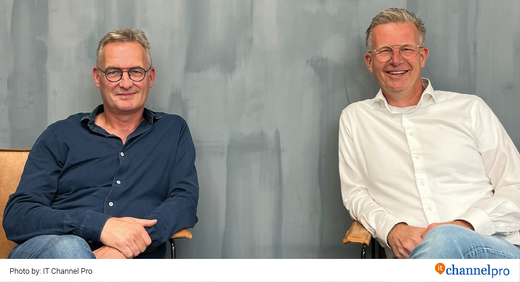
    Este mês, foi lançada a mais recente edição da revista holandesa "Circulaire It", na qual se encontra uma interessante entrevista com o nosso Diretor Geral, Jurrie Christians. Nesta entrevista, Jurrie menciona a importância da indústria de reparação na redução do desperdício tecnológico, explicando que 4Phones faz parte de um modelo circular em que cada peça vendida tem um ciclo de vida completo. Isto significa que as peças não acabam no caixote do lixo, mas por vezes são readquiridas aos clientes para fins de reciclagem com o programa 4Phones Buyback. No mesmo artigo, também ficamos a conhecer Rob Wierenga, do QC Centre Europe, uma empresa de distribuição que trabalha a partir da China com mais de 80 clientes em todo o mundo. O seu papel neste modelo de negócio circular é vital, uma vez que o impacto do transporte pode ser um dos maiores poluidores. A solução da QC para este problema foi muito inteligente, pois começaram a juntar encomendas de diferentes empresas no mesmo envio, poupando não só dinheiro, mas também ajudando o planeta a longo prazo. Nós, da 4Phones , acreditamos firmemente que estes pequenos esforços são os que acabarão por gerar uma verdadeira mudança no futuro. Pouco a pouco, e com a contribuição de todos, podemos realmente reduzir a pegada ecológica que as nossas actividades diárias estão a deixar. Se quiser ler o artigo completo, escrito por Rashid Niamat, clique aqui: NOTA: O artigo está originalmente escrito em neerlandês, mas existe uma tradução em inglês disponível. Para mais informações sobre a 4Phones , envie um e-mail para Jurrie Christians em [email protected] ou telefone para +316 240 959 23. Quer saber mais sobre QC Centre? Contacte Rob Wierenga em [email protected] ou ligue para +316 229 742 48.

    Lê mais
  • LCD IPHONE IN-CELL JK: COMO SABER SE É FALSO OU ORIGINAL?

    LCD IPHONE IN-CELL JK: COMO SABER SE É FALSO OU ORIGINAL?

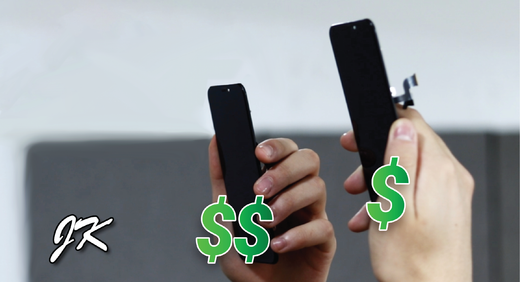
    "Como é que outros distribuidores podem ter ecrãs JK-In-cell mais baratos, enquanto 4Phones é o distribuidor oficial da marca JK Digital Display?" Após uma pesquisa, descobrimos que estes "ecrãs JK baratos" são falsos. No nosso guia em PDF e no vídeo do YouTube, explicamos as diferenças e dizemos-lhe como reconhecer esses ecrãs falsos. DESCARREGUE O NOSSO GUIA: RECONHECER ECRÃS JK FALSOS VEJA O NOSSO VÍDEO DETALHADO SOBRE AS DIFERENÇAS

    Lê mais