News

Apple iOS 26 update

iOS 26 Now Fully Compatible with Diagnostic Batteries & Displays

iOS 26 Brings Major Relief for Repair Shops: Full Compatibility Restored Apple’s official release of iOS 26 earlier this week has brought long-awaited stability to the repair community. One of the most important updates is full compatibility with diagnostic batteries and displays — both new and old — resolving long-standing issues faced by repair professionals worldwide. What Was the Issue? Before iOS 26 Beta 5, many repair shops encountered persistent problems when installing diagnostic parts. The most common challenges included: Batteries that were not upgraded to the latest software Displays showing errors or triggering warnings Pairing issues after repairs These issues often caused diagnostic parts to malfunction or triggered “unknown part” pop-ups due to version mismatches between the device and the installed component. What Has Changed in iOS 26? The newly released official version of iOS 26 completely resolves these compatibility issues. From now on, repair shops can expect a smoother workflow and improved reliability: Diagnostic batteries can now be installed without triggering “unknown part” messages — even if they haven’t been updated. Diagnostic displays work flawlessly, without error messages or pop-ups, even if they were previously paired on older iOS versions. No need to upgrade old stock — existing inventory and customer-held parts are now ready to use without modification. What This Means for Repair Shops The benefits for repair professionals are immediate and substantial: Zero workflow interruptions during repairs No more reprogramming or upgrading of older diagnostic parts Confident installations with pop-up-free operation In short, iOS 26 makes iPhone repairs faster, smoother, and more reliable than ever before. Why Did Apple Jump from iOS 18 to iOS 26? Many users were surprised to see Apple leap directly from iOS 18 to iOS 26 — but there’s a logical reason behind the change. Apple has decided to align its operating system numbers with a year-based naming system. Year-Based Naming for Better Consistency Similar to how car manufacturers label models for the next year (for example, a 2026 model released in 2025), Apple’s new system aligns all platforms — iPadOS 26, watchOS 26, and macOS 15 (internally version 26) — for easier ecosystem management and clarity across devices. A Cosmetic Change with Functional Benefits While the numerical jump from iOS 18 to iOS 26 may appear dramatic, it’s largely a cosmetic update designed to simplify version control and align Apple’s internal architecture. The real advantage lies in improved efficiency, system stability, and repair reliability. A Win for the Repair Community The release of Apple iOS 26 marks a major milestone for the repair industry. With full compatibility restored for diagnostic batteries and displays, repair shops can now operate confidently without software barriers or pop-up interruptions. It’s the perfect moment for technicians to restock on diagnostic parts, streamline their workflows, and deliver seamless, professional repairs to their customers.

Read more
  • EU will support the Right-to-Repair with new rules

    EU will support the Right-to-Repair with new rules

    Good news for all the  Right-to-Repair movement supporters. For us repair specialists, a lot is probably going to change, in a positive way. The European Commission adopted a proposal for uniform rules to promote the repair of goods. The motivation of the EU to do this is that it will not only benefit consumers but also contribute significantly to reducing e-waste. However, of course, the European Parliament and Council still have to make a final decision on this proposal. Both are expected to agree, and the new rules will eventually be introduced. The early disposal of easily repairable electronics results in 35 million tons of e-waste per year. By implementing the new rules, 30 million tons of resources, including energy, water, rare metals, and others will be conserved. This will reduce CO2 emissions by 261 million tons annually. All in all, this results in savings of 12 billion euros each year for EU citizens. Additionally, this measure promotes economic growth, increasing demand for repairs and therefore the turnover of European repair companies by 4.8 billion euros per year. What does the EU propose exactly? During the legal warranty period, sellers must offer repair, unless a replacement is less costly. Outside of the legal warranty period, consumers will have a new set of rights and tools that will make "repair" a simple and accessible option: The right for consumers to demand repair of technically repairable products such as phones, laptops, washing machines and televisions from producers under EU law. This ensures that consumers have someone to turn to when their products require repair and encourages producers to adopt more sustainable business models. Producers must inform consumers of the products that can be repaired by the producers themselves. An online repair platform will connect consumers with repairers and sellers of repaired goods in their area. The platform will allow searches based on location and quality standards, making it easier for consumers to find attractive offers and for repairers to become more visible. A European repair information form can be requested by consumers from any repairer, which makes repair conditions and prices more transparent, allowing for easier comparison of repair offers. A European quality standard for repair services will be developed, which will help consumers find repairers that provide quality work. The "easy repair" standard will be available to all repairers across the EU who commit to respecting minimum quality standards based on product longevity or availability.  All in all: good news for you as a repair specialist! What this means for you as a repair specialist, is that the proposed rules by the European Union to promote the repair of goods can bring increased demand for your services, more business opportunities, and greater consumer confidence in your work through transparent communication of repair conditions and prices. We at 4Phones are happy about this sustainable and circular development and are eagerly waiting for the EU to introduce these rules.

    Read more
  • HOW TO: Remove iPhone non-genuine screen warning by aftermarket screens

    HOW TO: Remove iPhone non-genuine screen warning by aftermarket screens

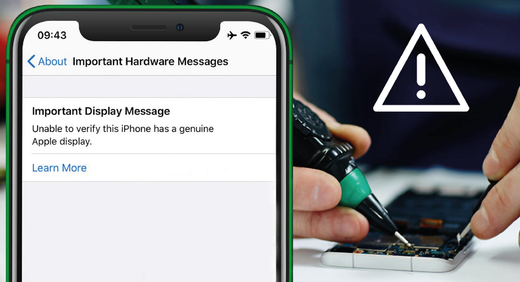
    "Unable to verify this iPhone has a genuine Apple display" is a notification that most technicians will recognize. If you've replaced your iPhone screen with an aftermarket one, you may have encountered a "Non-genuine screen" warning message. We explain how you easily remove this warning in a few steps. This guide is about the iPhone 11, 11 Pro, 11 Pro Max, 12, 12 Pro, 12 Pro Max, 13, and 13 Mini). In this case, we will work with RJ In-Cell LDCs. (OEM quality, can restore true tone and exchange the display IC). 1. Remove the IC from the original LCD Firstly, we have to remove the glue with a QianLi knife or similar tool (SKU: 0640467F26). The recommended temperature is 180ºC. Then we have to extract the IC with the same hand-polished QianLi tool and with flux. 2. Clean the IC (placed at a PCB/IC soldering holder) Flatten the bonding pads with a soldering iron (300 °C). Then remove the adhesive with a hot air gun (300 °C) and a hand-polished knife of QianLi. Clean the bonding PADS with PCB cleaner. Apply some low-temperature soldering paste (138 °C). Form the solder balls with a hot air gun (300 °C).   Now we have to install the original IC. Apply some flux and place the original IC. We are using 260-280 °C for soldering the IC. Then, we have to install the modified LCD and check the touch. It now works fine and has the true tone settings.

    Read more
  • DIFFERENT CABLE TYPES - 100W vs 60W: which one do I choose?

    DIFFERENT CABLE TYPES - 100W vs 60W: which one do I choose?

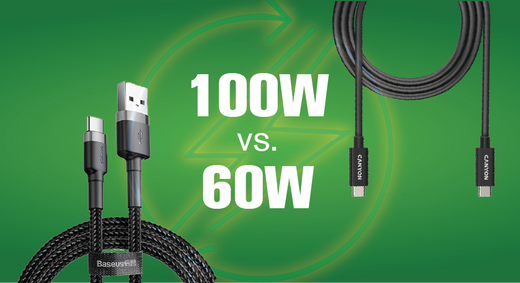
    With the increasing number of devices we use in our daily lives, we often come across different cables with varying specifications. One of the most important specifications is the wattage rating of a cable, with 100W and 60W being the most common options. Base the cable choice on your charging needs. In this blog, we explore the difference between 100W and 60W cables, which one to choose, and why. The wattage rating of cables Firstly, it’s important to know what the wattage rating means. The wattage rating of a cable determines how much power it can handle without causing damage or overheating. The wattage specification is essential when it comes to charging devices that require a higher power input, such as laptops, gaming consoles, or high-end smartphones. The difference between 60W and 100W cables The difference between 60W and 100W cables comes down to their charging and data transfer speeds. A 100W cable can charge devices faster than a 60W cable. The reason for this is that a 100W cable can handle more current, allowing it to charge devices faster. Additionally, a 100W cable can transfer data at a higher speed than a 60W cable. This means that transferring large files between devices will be much quicker with a 100W cable. The gauge, or thickness, of electrical cables affects their ability to carry current. Thicker cables can handle more current without overheating. A 60W cable will have a thinner gauge than a 100W cable because it is designed to carry less current. Selecting the correct gauge is important for safe and efficient operation of your devices. In conclusion: do I choose a 60W or 100W cable? The wattage rating alone does not determine the maximum current carrying capacity of a cable. The maximum current carrying capacity of a cable depends on various factors, including its gauge, length, material, and environmental conditions. Choose a 60W or 100W cable based on the power rating of the device. If you have a device with a power rating of 60 watts, you should use a cable that is rated to handle at least 60 watts or more. Similarly, if you have a device with a power rating of 100 watts, you would choose a cable that is rated to handle at least 100 watts or more.  In general, a 100W charging cable can deliver more power than a 60W charging cable, which means that it can potentially charge a device faster or support charging larger devices that require more power. See our favorite 100W charging cables here: 100 W CHARGING CABLES

    Read more
  • Your broken screens are worth money!

    Your broken screens are worth money!

    Imagine this situation: you’re repairing a screen and throw it blindly into the box you always store them in, mixing the good and the faulty ones. This is probably very recognizable for you as a repair technician, many repair specialists work this way. But what many don’t realize is that the good screens may damage because you’re putting them together with the faulty ones…  Very unfortunate, because with 4Phones' buyback program, your broken screens are worth money! Customers who participate in our Buyback program, often send all the screens they’ve gathered over time. They send all the mixed good and faulty screens, wasting a lot of time packing them, resulting in an unnecessary heavy box. And, once we receive these screens, it takes us a lot of time to test them. So, when you want to receive the maximum value of your broken screens through our buyback program, but you mix both good and faulty ones together in 1 box, you… Take the risk of damaging the good screens Receive a potentially lower refund Need more time to pack all of them Have to send an unnecessary heavy box Need to wait longer for the test results The solution: get the most out of our Buyback program!  Luckily there is a very easy solution for this all! A solution that takes maybe 1 more minute per repair… That sounds good right?! We recommend you store the screens in a different way, to save time and to make sure you send us more good screens, resulting in receiving a higher refund: During the repair process, check whether the screen is good or faulty (pay attention to black lines, damaged LCD) Put the good screen in a different box than where you put the faulty ones. It is important to separate them Whenever you have more than 30 good screens in the “good-screen”-box, you print our buyback form, fill it in and send the screens to us.  This only takes you +/- 1 minute more per repair, but eventually saves you a lot of time and makes sure you get the maximum out of our Buyback program! And... Did you know that we now have a promotion in which you can get a 100 euros bonus whenever you send more than 30 'good-tested' broken screens? Read all about this promotion here!  

    Read more
  • Send us your broken screens and get a 100€ BONUS*!

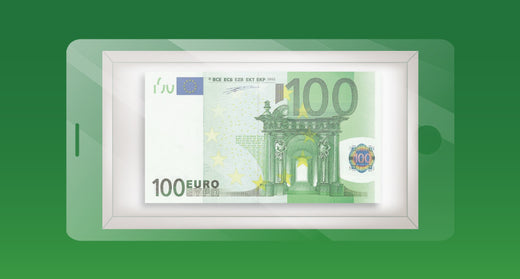
    Send us your broken screens and get a 100€ BONUS*!

    Yes, you heard that right: 100€ cash bonus, no strings attached, for the first 100 customers that send us -at least- 30 ‘good tested’ broken screens.   How does it work? The first 100 customers that send their broken screens through the 4Phones Buyback Program get a 100€ bonus, if they send -at least- 30 ‘good tested’ screens in the same shipment. The bonus is calculated outside of the regular payment for each screen. This means that you are getting paid for the screens and receive the extra bonus. The promotion is available starting on February the 15th, 2023. The end date will be defined whenever we have received the first 100 complete packages. This end date will be announced through our newsletter and our website 4phones.eu. Read more about the 4Phones Buyback Program here: https://4phones.eu/pages/buyback Conditions to get the 100€ Bonus You need to send -at least- 30 screens that test correctly. The broken screens must comply with several guidelines to be considered acceptable to enter the promotion. Please check the following conditions before sending your screens:   We only accept properly packed and secured screens.   All 30 (thirty) displays need to be sent in one single package. All screens will undergo individual testing to ensure their functionality and approval of participation in the promotion. Customers will receive the 100€ bonus in cash added to their payment, no strings attached. One bonus per customer. If you already charged your bonus, you can of course still take advantage of our Buyback Program by sending screens and getting paid the regular price. Fill and print the buyback form (download here), and add it to your box before sending.  Shipping costs for the screens will be assumed by the customer.  Once the package is received, you can expect a resolution in 3 to 5 business days via the email marked in the Buyback Form.  Before sending you the payment, the resolution needs to be accepted. After you accept the resolution, you will receive the payment in 3 to 5 business days.     NOTE: “At least 30 screens” means that you can send a minimum of 30 screens, but no maximum number has been set. You can send as many screens as you want. However, this does NOT mean that you will get 100€ for every 30 good tested screens. Logically, the more screens you send, the more chance you have of getting to a number of at least 30 of them being approved. This way, you increase your chances of getting the bonus.   What is the Buyback Program? 4Phones is part of a circular model where every piece sold has a complete life cycle. Parts don’t end up in the trash can, but sometimes are re-purchased from customers for recycling purposes with the 4Phones Buyback Program. Selling your broken screens isn't just good for your wallet – it's also great for the environment! Here are just a few benefits: Broken screens get refurbished. Refurbishing broken screens requires fewer resources compared to new screens that are made from scratch. This is because the materials of the broken screens are re-used where possible. Refurbishing broken screens prevents e-waste. Every year, millions of tons of electronic waste are discarded, often ending up in landfills where it can leak hazardous substances into the environment. Refurbishing broken screens save energy. Producing new materials requires a lot of energy, but recycling and refurbishing materials use less energy. So, when you choose a refurbished screen, you're helping to save energy and reduce greenhouse gas emissions. Refurbished screens are often just as good as new ones. Just because a screen is refurbished doesn't mean it's not as good as a brand-new one. In fact, many refurbished screens are carefully tested and repaired to ensure they are in excellent working condition. By selling your broken screens to us, you can help to conserve natural resources and support the circular economy. You can also earn some extra money in the process. We encourage you to take advantage of our Buyback Program.   Read more about the 4Phones Buyback Program here: https://4phones.eu/pages/buyback   Want to know more of do you have questions? Contact us: buyback@4phones.nl / +31 6 48352501

    Read more