News

iPad Display Issues with Stylus: Why Copy Pens Cause Touch Problems

iPad Display Issues with Stylus: Why Copy Pens Cause Touch Problems

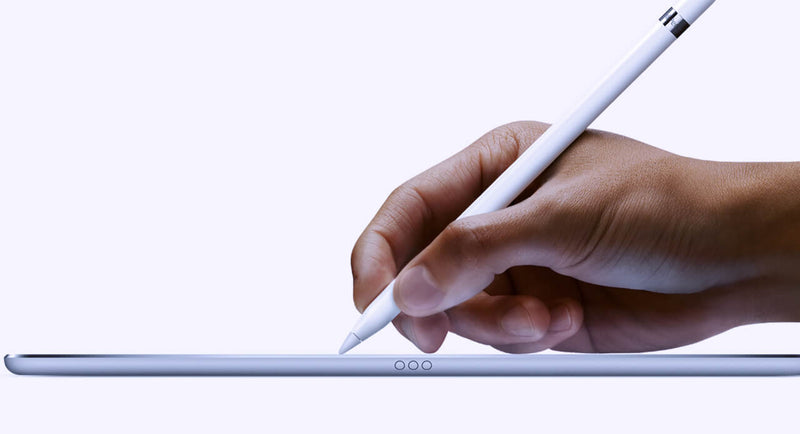
Lately, we’ve been seeing more and more cases where customers report that the iPad display is “not responding properly” when using a pen. At first glance, it looks like a touch issue, but after testing quite a few of these, the pattern is pretty clear. In most cases, the display is actually fine. The difference comes down to the type of pen being used. When we test with an original Apple Pencil, everything behaves as expected. You can write normally, rest your hand on the screen, and the input stays stable. No jumps, no interruptions. But when we switch to a copy pen, things change. If you only use the tip, it often works okay. The moment you rest your hand on the screen while writing, you start seeing issues. Lines break, touch becomes inconsistent, or the screen seems unresponsive. That’s usually the moment customers think the display is defective. From a repair perspective, this is where things go wrong if you’re not careful with testing. If you only test quickly with a pen—especially without resting your hand—you might miss it. If you don’t ask what pen the customer is using, you might approve an RMA that shouldn’t be one. The easiest way to avoid this is to go back to basics when testing: First, use your fingers and check the full screen If touch works fine everywhere, that already tells you a lot Then test with an original Apple Pencil (your reference) Only after that, test with a third-party pen and simulate real usage (including resting your hand) That last part is important because that’s exactly where copy pens tend to fail. It’s not the screen struggling—it’s the pen not handling palm rejection properly. We’ve also found that asking the customer one simple question upfront saves a lot of time: “Are you using an original Apple Pencil?” In many cases, that alone points you in the right direction. If there’s still doubt, ask for a short video from the customer. You can usually see immediately whether it’s a display issue or just how the pen behaves when the hand is on the screen. Key takeaway If the display works fine with touch and behaves correctly with an original pen, then it’s not a screen problem. What looks like a defect is often just the limitation of a copy pen. Catching this early means: Fewer unnecessary returns Less back-and-forth with customers A smoother repair process overall      

Read more
  • Iphone 12: No charger no headphones

    Iphone 12: No charger no headphones

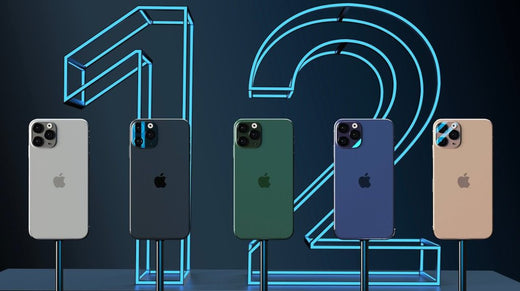
    The novelty that Apple will have for the launch of the iPhone 12, is that it will come without a charger. Decision that would be due to environmental reasons or to reduce costs, according to the brand's analyst, Ming-Chi Kuo.Through a statement accessed by MacRumors, the iPhone 12 will not include headphones or a power adapter in the box.Kuo has considered that the company will launch a new 20W power adapter as an optional accessory for the iPhone and will stop producing 5W and 18W power adapters later this year.In addition, the Apple analyst has claimed that the new 20W power adapter will be similar to the 18W with USB Type-C Power Delivery connector for fast charging.According to the Apple analyst, the production costs of the iPhone 12 will increase due to the incorporation of 5G technology in the new line of the phone. By removing the headphones and power adapter from the box, the company can cut costs, but could also cite environmental reasons.Kuo also believes that Apple will stop including 5W power adapters with the second generation iPhone SE later this year, although it will continue to include a 12W power adapter with the iPad, 10.2-inch iPad Air and iPad mini. .According to some leaks, the new Apple mobile will arrive in four versions of which two will be Pro with three built-in cameras. The equipment will cost an average of $ 1,000. According to a report from Europa Press.In short, an open secret: the iPhone 12 –and its Pro variant– will be the first models in the history of the saga that will not include headphones or a charger in the device box. The event is yet to be confirmed, but there are several sources that have pointed in this direction in recent days, which has made this theory gain strength.The consensus is that the withdrawal of the headphones seems acceptable. However, the removal of the magazine has become a subject of debate. On the one hand, there are those who consider that such a basic element cannot be absent from the phone box. And, on the other hand, there are those who argue that its removal has ecological benefits - the chargers translate into a very high amount of waste - and, furthermore, they affirm that it is possible to acquire compatible chargers for little money. The debate, while valid, only represents the tip of the iceberg. When Apple makes a move like this, it usually does so with a forward-looking strategy. We saw it, for example, with the removal of the headphone jack. This was produced by the hand of wireless headphones, the AirPods, which offer a clearly superior user experience. The interesting debate, therefore, is this: what is the long-term bet that would justify the removal of the charger in the iPhone case?An answer to that question could be the rumored iPhone without ports. Apple has always pushed the use of wireless technologies. We have seen it with the AirPods, with AirPlay 2, with the AirDrop transfer system and also with the removal of ports on their most popular computers. This ideology, which has caused controversy on many occasions, is imprinted in the company's DNA. And the launch of an iPhone without ports, despite the criticism it would bring, would be the culmination of that philosophy.The target scenario would be for everyone to invest in buying wireless charging mats for their homes. These would be universal (Qi) and reusable over time, so that every time you buy a new product, you can use the same mat. Saving the distances, it would be something similar to what happens with professional cameras. Photographers buy new bodies, but they reuse the lenses they have acquired over the years. The benefit derived from this path would be multiple: less garbage would be produced –and Apple always emphasizes this aspect–, costs would be saved and, in addition, we would achieve that fully wireless future that seems so obvious. However, to reach this stage it is necessary to change the foundations of the industry. And that's where the iPhone 12 comes into play, which would be the first to not incorporate a charger into its box and would act as a lever towards that future.The idea is this: do you need a charger for the iPhone 12? If you have a compatible one, perfect, you can use it without problems. But if that is not your case, you probably want to buy a Qi charger, which in addition to working with the iPhone 12, will also work with the phones you buy in the future (even if they are not iPhone) and also with some of the more AirPods. RecentBy not providing a free option with the product, Apple would be inviting consumers to invest in a new charger. And since you are investing in one, why not do it in a wireless one instead of buying a conventional one? The price of Qi chargers has dropped enough to be a viable option from an economic point of view. In fact, at Ikea you can find wireless charging mats for just five euros. Some argue that the removal of the charger would be more manageable if the iPhone 12 brought a USB-C port, which is more universal than the current Lightning. But we cannot lose sight of the fact that Apple's long-term bet is more ambitious than controlling costs or reducing electronic waste. The underlying idea is that the iPhone has no ports. Therefore, it would not be sensible to steer an entire ecosystem - accessory manufacturers, etc. - towards a connector that, on the iPhone, would only persist for a few generations. If you make such an important change, you do it thinking in the long term. And in the case of the iPhone, that future seems to happen through the absence of ports, wireless technologies and open standards. Another point to resolve is the reliability of the chargers, which can influence the degradation of the battery. By incorporating the charger into the box, Apple ensures that the customer uses a suitable charger. By dispensing with it, you unleash third-party chargers that won't always deliver the best performance. Considering the emphasis that Apple places on the durability of its products, this is a factor of great importance.
    Read more
  • Samsung Unpacked 2020

    Samsung Unpacked 2020

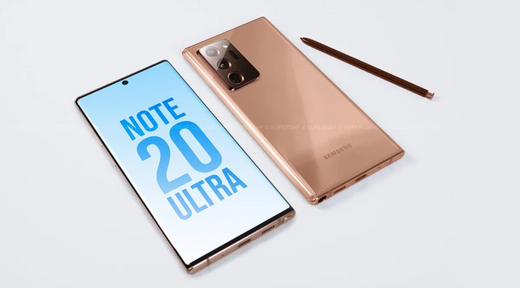
    The Samsung Unpacked 2020 will be held in August and will bring with it three new phones. Jon Prosser, one of the leakers that is taking the most force this year, affirms that the Samsung Unpacked event will be held in August and that at this event we will meet three new mobiles, all of them high-end.Specifically, we are talking about the Samsung Galaxy Note 20, a terminal that was expected for those dates. According to Prosser, this will be accompanied by the Samsung Galaxy Fold 2 and the Samsung Galaxy Z Flip, two very different Samsung models whose successors were unclear last year. Three high-end devices on August 5 Both Prosser and IceUniverse point to August 5 as the date for Unpacked 2020, something that does not come as a surprise. The relevant data here is that they "confirm" the presence of the three devices belonging to existing families. The first of these will be the Samsung Galaxy Note 20, according to Prosser. This terminal is expected with major hardware improvements such as a new processor, a more refined design, larger (and flat) screen and zoom of up to 50x. The second device of the event will be, according to the filtration, the Samsung Galaxy Fold 2. This terminal talks about changes at the screen level. At the hardware level, it is rumored that it will come with Qualcomm's Snapdragon 865, accompanied by 5G connectivity and a 4,500mAh battery with fast charging. Colloquially we usually refer to the Samsung Galaxy Fold 2 as a smartphone, but the truth is that as from the beginning they raised it in practice rather a small folding tablet. It is therefore a new division of devices together with the Huawei Mate X and those to come, hence we considered doing a different analysis adapted to this category. And we are going to tell you from five points of view. Samsung Galaxy Fold spec sheet SAMSUNG GALAXY FOLD Weight 200 grams Display 7,3” QXGA+ Dynamic AMOLED (4.2:3) + 4,6” HD+ Super AMOLED (21:9) Processor Snapdragon 855 / Exynos 9820 (changes according to the market) RAM 12 GB Storage 512 GB UFS 3.0 Operative System Android 9 Pie + One UI Back Camera Triple rear camera: wide angle, ultra wide angle and telephoto Front Camera One on the deck, two internal front (wide angle and depth) Battery 4.380 mAh (double battery) Price 2.020 euros In short, the flexible screen will be 7.59-inch Dynamic AMOLED with a resolution of 2,213 x 1,689 pixels (density of 372 pixels per inch). It is somewhat more diagonal and resolution than what we saw in the previous Fold (1,536 x 2,152 pixels and 7.3 inches), although the striking thing is that this, like the S20, would also reach the refresh rate of 120 hertz. Finally, there is talk of the Samsung Galaxy Z Flip 5G, a version with better connectivity for last year's model. If Samsung wants the terminal to be completely up to date, it will have to bet on either the Snapdragon 865 or its Exynos 990 or 992 platforms. Regarding the launch, the three devices will be launched on August 20 according to Prosser, 15 days after their launch. presentation. Source: https://www.xatakandroid.com/moviles-android/samsung-unpacked-2020-se-celebrara-agosto-traera-consigo-tres-nuevos-moviles-prosser

    Read more
  • How to change iPhone 6 battery

    How to change iPhone 6 battery

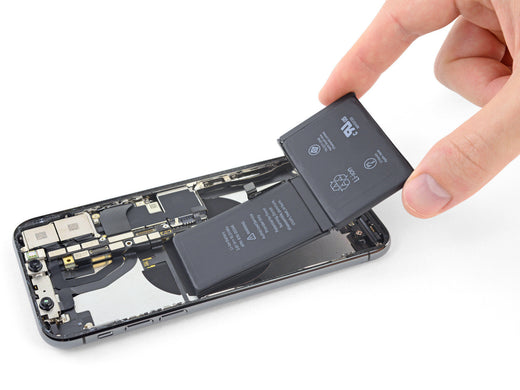
    If the iPhone 6's battery is failing, overheating, or you notice it's short-lived you've probably been informing yourself about Apple's scheduled obsolescence.To avoid problems that may arise with the batteries, Apple slows down the processors of its iPhones. You have probably noticed that your mobile stops working correctly with some applications or that it suddenly turns off. These days it has been discovered that every time there is a software update, the processors slow down in older models (and it is something they are not going to change). If your iPhone 6 or 6S is slower, it may be a problem with the battery and not with the operating system. What is the solution then? Ideally, you should change the battery as soon as possible to have an iPhone like new again, so take note! We explain step by step how we replace iPhone 6 batteries in our stores. What do we need to change iPhone 6 battery? Anti-static robe Antistatic gloves Tweezers A Phillips screwdriver A five-point screwdriver Pliers or scissors Picks (guitar) An opening tool A plastic tool New battery Steps to change iPhone 6 battery The first thing we will do is remove the 2 screws that we find at the bottom of the phone with the 5-point screwdriver.Next, we put the opening tool in the lower left corner and pry until the screen comes out.With the star screwdriver we remove the 5 screws from the protective plate of the screen flex. Then, with the help of tweezers, we remove the protective plate.Next, we disconnect the Flex from the screen with the plastic tool, thus releasing the screen.With the help of the cross-head screwdriver we remove the screws from the protective plate of the battery Flex and disconnect it.Now we are going to remove the battery. The battery is very sticky so, here is a trick not to bend it and that it comes out easily: at the bottom of the battery there are like two tabs that are made of the glue tapes that hold the battery to the phone.We let go of this very slowly and we carefully remove them from the side of the battery. Once this is done the battery comes out easily.Now we take double-sided tape, cut two pieces and put them in the place of the battery to stick it so that we do not dance on the phone. Next, we take the new battery and put it in.Then we place the Flex of the battery and put the protective plate on it. Once this is done, we connect the Flex of the screen and protect it with its plate along with its 5 screws.Next, we close the phone and put the screws that we find at the bottom of it. Finally we check it works and it is done. Source: https://www.phoneservicecenter.es/blog/cambiar-bateria-iphone-6/

    Read more
  • What is In-Cell technology?

    What is In-Cell technology?

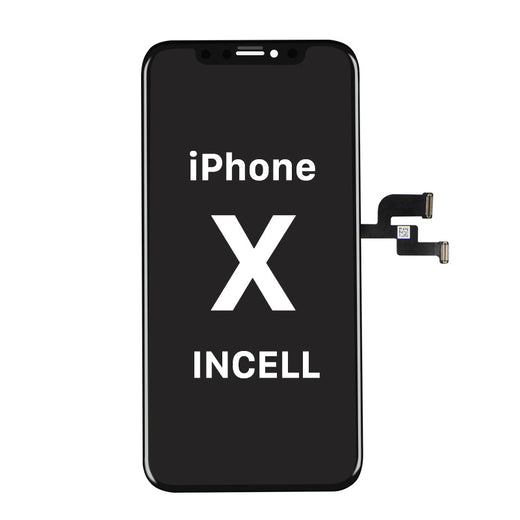
    In-Celll Technology - Affordable, Reliable and Very Stable iPhone Displays. The easy-to-install In-cell iPhone displays available from Moviparts include In-Cell 3D Touch technology that combines liquid crystal, touch sensing elements, and 3D capacitive touch sensors in a single structure. As a result, the thickness and weight of the screen are reduced, resulting in excellent quality.The In-Cell display range for iPhone includes a genuine Sharp LCD display with brighter colors, whiter whites and darker blacks than any display on the market.These displays require only an Integrated IC Driver (IDC) to perform 3D touch, screen and touch functions simultaneously, improving energy efficiency, brightness, color and contrast.In-cell displays for iPhone differ technically in that compatible displays generally have two separate elements, the display (LCD) and the touch.Both elements are glued together. On the contrary, in the case of In-Cell screens, the touch or digitizer is already integrated into the LCD screen.This integration makes the In-Cell screens for Iphone more stable than other compatible screens, resulting in brighter colors as they have the same resolution as OEM screens.At 4Phones we have In-Cell screens for iPhone X, iPhone XR, iPhone XS, iPhone XS MAX, Iphone X MAX, iPhone 11. An affordable, reliable and above all very stable solution

    Read more
  • Service Pack: Definition & Components

    Service Pack: Definition & Components

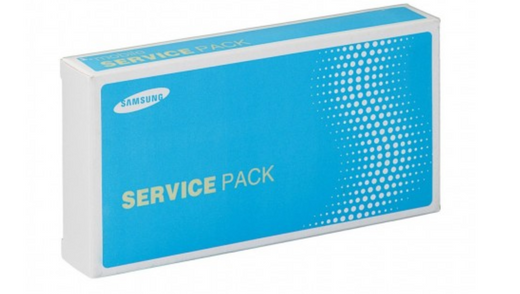
    What does the Service Pack include? Is it always original or can it be compatible? Read us and find out! We use the term Service Pack on a daily basis, we see it constantly in GSM spare parts stores like Moviparts or 4phones, but do we really know what it means and what it contains? In this article we will clarify these and other questions related to the Service Pack.Originally the Service Pack was an exclusive term for parts of PCs computers, but for a few years with the arrival of smart phones or smartphones it has been constantly used to define a very complete part of the mobile.The Service pack is a part of the complete original brand that includes, in the case of Samsung, the LCD screen or display, the AMOLED touch or digitizer, the frame, the touch chassis, flexs, speakers and both internal and external buttons. In the case of Huawei, the part also includes the battery. All these components come in original brand packaging, with unique brand seals, codes and badges. So when we refer to any Service Pack we will always be talking about original parts, never compatible.For this reason, the guarantee and quality of the Service Packs will always be higher compared to an equivalent compatible part.For the correct installation of the Service Packs in 4Phones we recommend firstly making sure to acquire the correct part for the required model since, as they are original parts, the warranties only cover factory defects, so returning them once the packaging is opened or installed is complicated. process a return or RMA.To help you find the right service packs, we give some search tips on the 4Phones website. In the search engine it is possible to search for Samsung Service Packs with the term "Samsung Display Complete" and all available models, stock and prices will be listed. For Huawei models, when you type in the "Service Pack" search engine, all available models, stock and prices will be listed.We can also make use of the filters, located on the left side of the screen. If we filter by brand, part and model, we will also find the appropriate Service Pack.Once we have made sure that the purchased Service Pack part is correct, we recommend that you also make sure to disconnect the battery before proceeding with the installation.Like any other electronic repair job, the work environment and tools also play an important role in the proper installation of the Service Pack. In this regard, it is important to do your best to handle repair or replacement work in a dry, dust-free environment without direct sunlight.Although there are models of mobiles that require specific tools, we recommend the following basic tools necessary to make a correct replacement available at www.moviparts.es: Tweezers with suction cups Jakemy Display Opening Tool SKU REPTOOL574, spatula for opening Pryer Card Opening Tool (Green) CFT -60426 SKU 99FFB4AA86 and BEST 12 in 1 Precision Screwdriver Set (BST-666) SKU F30E8ED7AA. In the related products of this article you will find direct links to purchase this and other articles of interest.Remember that we are at your disposal in the chat on our website (www.4phones.eu) to clarify any doubts about stocks, prices or to help you choose the Service Pack you need for a specific repair or to stock the most demanded parts in your repair shop warehouse.We wish you a good repair! 4Phones team

    Read more