Notícias

iPad Display Issues with Stylus: Why Copy Pens Cause Touch Problems

iPad Display Issues with Stylus: Why Copy Pens Cause Touch Problems

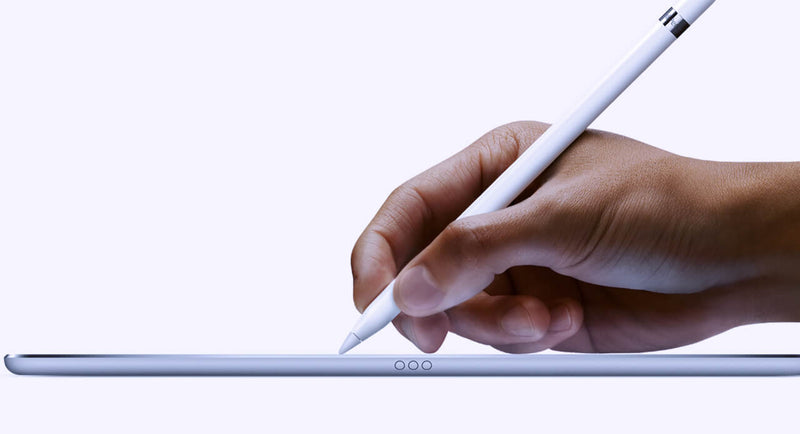
Lately, we’ve been seeing more and more cases where customers report that the iPad display is “not responding properly” when using a pen. At first glance, it looks like a touch issue, but after testing quite a few of these, the pattern is pretty clear. In most cases, the display is actually fine. The difference comes down to the type of pen being used. When we test with an original Apple Pencil, everything behaves as expected. You can write normally, rest your hand on the screen, and the input stays stable. No jumps, no interruptions. But when we switch to a copy pen, things change. If you only use the tip, it often works okay. The moment you rest your hand on the screen while writing, you start seeing issues. Lines break, touch becomes inconsistent, or the screen seems unresponsive. That’s usually the moment customers think the display is defective. From a repair perspective, this is where things go wrong if you’re not careful with testing. If you only test quickly with a pen—especially without resting your hand—you might miss it. If you don’t ask what pen the customer is using, you might approve an RMA that shouldn’t be one. The easiest way to avoid this is to go back to basics when testing: First, use your fingers and check the full screen If touch works fine everywhere, that already tells you a lot Then test with an original Apple Pencil (your reference) Only after that, test with a third-party pen and simulate real usage (including resting your hand) That last part is important because that’s exactly where copy pens tend to fail. It’s not the screen struggling—it’s the pen not handling palm rejection properly. We’ve also found that asking the customer one simple question upfront saves a lot of time: “Are you using an original Apple Pencil?” In many cases, that alone points you in the right direction. If there’s still doubt, ask for a short video from the customer. You can usually see immediately whether it’s a display issue or just how the pen behaves when the hand is on the screen. Key takeaway If the display works fine with touch and behaves correctly with an original pen, then it’s not a screen problem. What looks like a defect is often just the limitation of a copy pen. Catching this early means: Fewer unnecessary returns Less back-and-forth with customers A smoother repair process overall      

Lê mais
  • Iphone 12: Sem carregador e sem auscultadores

    Iphone 12: Sem carregador e sem auscultadores

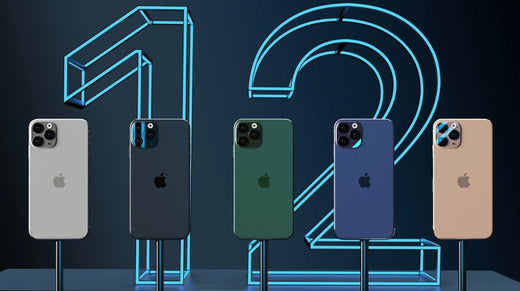
    The novelty that Apple will have for the launch of the iPhone 12, is that it will come without a charger. Decision that would be due to environmental reasons or to reduce costs, according to the brand's analyst, Ming-Chi Kuo.Through a statement accessed by MacRumors, the iPhone 12 will not include headphones or a power adapter in the box.Kuo has considered that the company will launch a new 20W power adapter as an optional accessory for the iPhone and will stop producing 5W and 18W power adapters later this year.In addition, the Apple analyst has claimed that the new 20W power adapter will be similar to the 18W with USB Type-C Power Delivery connector for fast charging.According to the Apple analyst, the production costs of the iPhone 12 will increase due to the incorporation of 5G technology in the new line of the phone. By removing the headphones and power adapter from the box, the company can cut costs, but could also cite environmental reasons.Kuo also believes that Apple will stop including 5W power adapters with the second generation iPhone SE later this year, although it will continue to include a 12W power adapter with the iPad, 10.2-inch iPad Air and iPad mini. .According to some leaks, the new Apple mobile will arrive in four versions of which two will be Pro with three built-in cameras. The equipment will cost an average of $ 1,000. According to a report from Europa Press.In short, an open secret: the iPhone 12 –and its Pro variant– will be the first models in the history of the saga that will not include headphones or a charger in the device box. The event is yet to be confirmed, but there are several sources that have pointed in this direction in recent days, which has made this theory gain strength.The consensus is that the withdrawal of the headphones seems acceptable. However, the removal of the magazine has become a subject of debate. On the one hand, there are those who consider that such a basic element cannot be absent from the phone box. And, on the other hand, there are those who argue that its removal has ecological benefits - the chargers translate into a very high amount of waste - and, furthermore, they affirm that it is possible to acquire compatible chargers for little money. The debate, while valid, only represents the tip of the iceberg. When Apple makes a move like this, it usually does so with a forward-looking strategy. We saw it, for example, with the removal of the headphone jack. This was produced by the hand of wireless headphones, the AirPods, which offer a clearly superior user experience. The interesting debate, therefore, is this: what is the long-term bet that would justify the removal of the charger in the iPhone case?An answer to that question could be the rumored iPhone without ports. Apple has always pushed the use of wireless technologies. We have seen it with the AirPods, with AirPlay 2, with the AirDrop transfer system and also with the removal of ports on their most popular computers. This ideology, which has caused controversy on many occasions, is imprinted in the company's DNA. And the launch of an iPhone without ports, despite the criticism it would bring, would be the culmination of that philosophy.The target scenario would be for everyone to invest in buying wireless charging mats for their homes. These would be universal (Qi) and reusable over time, so that every time you buy a new product, you can use the same mat. Saving the distances, it would be something similar to what happens with professional cameras. Photographers buy new bodies, but they reuse the lenses they have acquired over the years. The benefit derived from this path would be multiple: less garbage would be produced –and Apple always emphasizes this aspect–, costs would be saved and, in addition, we would achieve that fully wireless future that seems so obvious. However, to reach this stage it is necessary to change the foundations of the industry. And that's where the iPhone 12 comes into play, which would be the first to not incorporate a charger into its box and would act as a lever towards that future.The idea is this: do you need a charger for the iPhone 12? If you have a compatible one, perfect, you can use it without problems. But if that is not your case, you probably want to buy a Qi charger, which in addition to working with the iPhone 12, will also work with the phones you buy in the future (even if they are not iPhone) and also with some of the more AirPods. RecentBy not providing a free option with the product, Apple would be inviting consumers to invest in a new charger. And since you are investing in one, why not do it in a wireless one instead of buying a conventional one? The price of Qi chargers has dropped enough to be a viable option from an economic point of view. In fact, at Ikea you can find wireless charging mats for just five euros. Some argue that the removal of the charger would be more manageable if the iPhone 12 brought a USB-C port, which is more universal than the current Lightning. But we cannot lose sight of the fact that Apple's long-term bet is more ambitious than controlling costs or reducing electronic waste. The underlying idea is that the iPhone has no ports. Therefore, it would not be sensible to steer an entire ecosystem - accessory manufacturers, etc. - towards a connector that, on the iPhone, would only persist for a few generations. If you make such an important change, you do it thinking in the long term. And in the case of the iPhone, that future seems to happen through the absence of ports, wireless technologies and open standards. Another point to resolve is the reliability of the chargers, which can influence the degradation of the battery. By incorporating the charger into the box, Apple ensures that the customer uses a suitable charger. By dispensing with it, you unleash third-party chargers that won't always deliver the best performance. Considering the emphasis that Apple places on the durability of its products, this is a factor of great importance.
    Lê mais
  • Samsung Unpacked 2020

    Samsung Unpacked 2020

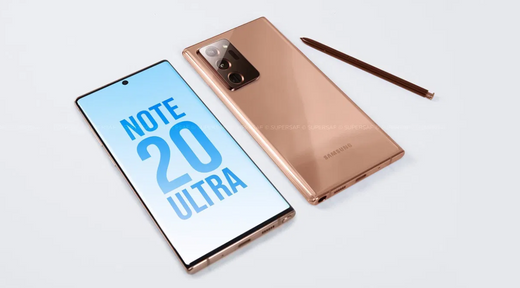
    A Samsung Unpacked 2020 realizar-se-á em agosto e trará consigo três novos telemóveis. Jon Prosser, um dos leakers que está a tomar mais força este ano, afirma que o evento Samsung Unpacked será realizado em agosto e que neste evento vamos conhecer três novos telemóveis, todos eles high-end.Especificamente, estamos a falar do Samsung Galaxy Note 20, um terminal que era esperado para essas datas. De acordo com Prosser, este será acompanhado pelo Samsung Galaxy Fold 2 e o Samsung Galaxy Z Flip, dois modelos Samsung muito diferentes cujos sucessores não foram claros no ano passado. Três dispositivos topo de gama no dia 5 de agosto Tanto Prosser como IceUniverse apontam o dia 5 de agosto como a data para o Unpacked 2020, algo que não chega a ser uma surpresa. O dado relevante aqui é o facto de "confirmarem" a presença dos três dispositivos pertencentes a famílias já existentes. O primeiro destes será o Samsung Galaxy Note 20, de acordo com Prosser. Este terminal é esperado com grandes melhorias de hardware, como um novo processador, um design mais refinado, ecrã maior (e plano) e zoom de até 50x. O segundo dispositivo do evento será, de acordo com a filtragem, o Samsung Galaxy Fold 2. Este terminal fala de alterações ao nível do ecrã. Ao nível do hardware, há rumores de que virá com o Snapdragon 865 da Qualcomm, acompanhado de conetividade 5G e uma bateria de 4.500mAh com carregamento rápido. Coloquialmente, costumamos referir-nos ao Samsung Galaxy Fold 2 como um smartphone, mas a verdade é que, desde o início, o criaram na prática como um pequeno tablet dobrável. É, portanto, uma nova divisão de dispositivos, juntamente com o Huawei Mate X e os que estão por vir, por isso consideramos fazer uma análise diferente adaptada a esta categoria. E vamos contar-lhe a partir de cinco pontos de vista. Folha de especificações do Samsung Galaxy Fold SAMSUNG GALAXY FOLD Peso do telemóvel 200 gramas Ecrã 7,3" QXGA+ Dynamic AMOLED (4.2:3) + 4,6" HD+ Super AMOLED (21:9) Processador Snapdragon 855 / Exynos 9820 (muda consoante o mercado) RAM 12 GB Armazenamento 512 GB UFS 3.0 Sistema operativo Android 9 Pie + One UI Câmara traseira Tripla câmara traseira: grande angular, ultra grande angular e teleobjetiva Câmara frontal Uma na plataforma, duas frontais internas (grande angular e profundidade) Bateria 4.380 mAh (bateria dupla) Preço 2.020 euros Em suma, o ecrã flexível será Dynamic AMOLED de 7,59 polegadas com uma resolução de 2.213 x 1.689 pixels (densidade de 372 pixels por polegada). É um pouco mais diagonal e resolução do que o que vimos na dobra anterior (1.536 x 2.152 pixels e 7,3 polegadas), embora o impressionante é que este, como o S20, também atingiria a taxa de atualização de 120 hertz. Finalmente, fala-se do Samsung Galaxy Z Flip 5G, uma versão com melhor conetividade para o modelo do ano passado. Se a Samsung quiser que o terminal esteja completamente atualizado, terá de apostar tanto no Snapdragon 865 como nas suas plataformas Exynos 990 ou 992. Relativamente ao lançamento, os três dispositivos serão lançados a 20 de agosto, de acordo com Prosser, 15 dias após o seu lançamento. apresentação. Fonte: https://www.xatakandroid.com/moviles-android/samsung-unpacked-2020-se-celebrara-agosto-traera-consigo-tres-nuevos-moviles-prosser

    Lê mais
  • Como mudar a bateria do iPhone 6

    Como mudar a bateria do iPhone 6

    Se a bateria do iPhone 6 está a falhar, a sobreaquecer ou se nota que tem pouca duração, provavelmente tem estado a informar-se sobre a obsolescência programada da Apple. Para evitar problemas que possam surgir com as baterias, a Apple desacelera os processadores dos seus iPhones. Provavelmente já reparou que o seu telemóvel deixou de funcionar corretamente com algumas aplicações ou que se desligou subitamente. Hoje em dia, descobriu-se que sempre que há uma atualização de software, os processadores ficam mais lentos nos modelos mais antigos (e é algo que não vão mudar). Se o seu iPhone 6 ou 6S estiver mais lento, pode ser um problema com a bateria e não com o sistema operativo. Qual é então a solução? O ideal é trocar a bateria o mais rápido possível para ter um iPhone como novo novamente, por isso tome nota! Explicamos passo a passo como substituímos as baterias do iPhone 6 nas nossas lojas. O que é necessário para substituir a bateria do iPhone 6? Roupão anti-estático Luvas anti-estáticas Pinças Uma chave de fendas Phillips Uma chave de fendas de cinco pontas Alicates ou tesouras Palhetas (guitarra) Uma ferramenta de abertura Uma ferramenta de plástico Uma pilha nova Passos para mudar a bateria do iPhone 6 A primeira coisa que faremos é remover os 2 parafusos que encontramos na parte inferior do telefone com a chave de fenda de 5 pontas.Em seguida, colocamos a ferramenta de abertura no canto inferior esquerdo e forçamos até que a tela saia.Com a chave de fenda estrela, removemos os 5 parafusos da placa protetora da tela flex. Depois, com a ajuda de uma pinça, retiramos a placa de proteção. Em seguida, desligamos o Flex do ecrã com a ferramenta de plástico, libertando assim o ecrã. Com a ajuda da chave de fendas em cruz, retiramos os parafusos da placa de proteção do Flex da bateria e desligamo-lo. Agora vamos retirar a bateria. A bateria é muito pegajosa, por isso, aqui está um truque para não a dobrar e para que saia facilmente: na parte inferior da bateria existem duas abas que são feitas de fitas adesivas que prendem a bateria ao telefone, que soltamos muito lentamente e removemos cuidadosamente do lado da bateria. Agora, pegamos na fita adesiva de dupla face, cortamos dois pedaços e colocamo-los no lugar da bateria para a colar, de modo a não dançarmos no telemóvel. Em seguida, pegamos na bateria nova e colocamo-la. Depois, colocamos o Flex da bateria e colocamos a placa de proteção. Uma vez feito isto, ligamos o Flex do ecrã e protegemo-lo com a sua placa juntamente com os seus 5 parafusos. Por fim, verificamos se funciona e está feito. Fonte: https://www.phoneservicecenter.es/blog/cambiar-bateria-iphone-6/

    Lê mais
  • O que é a tecnologia In-Cell?

    O que é a tecnologia In-Cell?

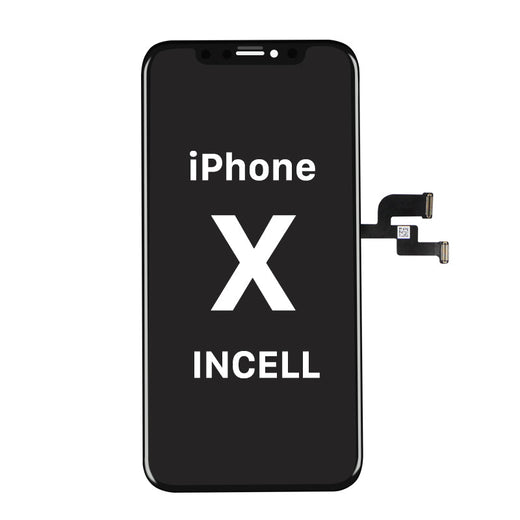
    Tecnologia In-Celll - Ecrãs para iPhone acessíveis, fiáveis e muito estáveis. Os ecrãs In-Cell para iPhone fáceis de instalar disponíveis na Moviparts incluem a tecnologia In-Cell 3D Touch que combina cristal líquido, elementos de deteção de toque e sensores de toque capacitivos 3D numa única estrutura. A gama de ecrãs In-Cell para iPhone inclui um ecrã LCD genuíno da Sharp com cores mais brilhantes, brancos mais brancos e pretos mais escuros do que qualquer outro ecrã no mercado. Estes ecrãs requerem apenas um Integrated IC Driver (IDC) para executar funções de toque 3D, ecrã e toque simultaneamente, melhorando a eficiência energética, o brilho, a cor e o contraste. Esta integração faz com que os ecrãs In-Cell para Iphone sejam mais estáveis do que outros ecrãs compatíveis, resultando em cores mais brilhantes, uma vez que têm a mesma resolução que os ecrãs OEM.Na 4Phones temos ecrãs In-Cell para iPhone X, iPhone XR, iPhone XS, iPhone XS MAX, Iphone X MAX, iPhone 11. Uma solução acessível, fiável e, sobretudo, muito estável

    Lê mais
  • Service Pack: Definição e componentes

    Service Pack: Definição e componentes

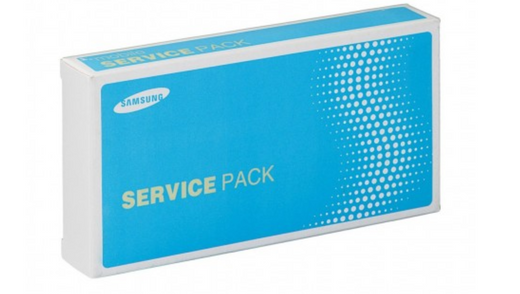
    O que é que o Service Pack inclui? É sempre original ou pode ser compatível? Leia-nos e descubra! Usamos o termo Service Pack diariamente, vemo-lo constantemente em lojas de peças sobresselentes GSM como a Moviparts ou 4phones, mas será que sabemos realmente o que significa e o que contém? Neste artigo, vamos esclarecer estas e outras questões relacionadas com o Service Pack.Originalmente, o Service Pack era um termo exclusivo para peças de computadores PCs, mas há alguns anos, com a chegada de telefones inteligentes ou smartphones, tem sido constantemente utilizado para definir uma parte muito completa do telemóvel.O Service pack é uma parte da marca original completa que inclui, no caso da Samsung, o ecrã LCD ou display, o toque AMOLED ou digitalizador, a moldura, o chassis tátil, flexíveis, altifalantes e botões internos e externos. No caso da Huawei, a parte também inclui a bateria. Todos estes componentes vêm na embalagem original da marca, com selos, códigos e emblemas exclusivos da marca. Por isso, quando nos referimos a qualquer Service Pack estamos sempre a falar de peças originais, nunca compatíveis, pelo que a garantia e a qualidade dos Service Packs será sempre superior à de uma peça equivalente compatível.Para a correta instalação dos Service Packs na 4Phones recomendamos, em primeiro lugar, que se assegure de adquirir a peça correta para o modelo requerido, já que, ao tratar-se de peças originais, as garantias só cobrem defeitos de fábrica, pelo que a sua devolução, uma vez aberta ou instalada a embalagem, é complicada. No motor de busca é possível pesquisar por Samsung Service Packs com o termo "Samsung Display Complete" e serão listados todos os modelos disponíveis, stock e preços. Para os modelos Huawei, ao digitar no motor de busca "Service Pack", serão listados todos os modelos disponíveis, stock e preços.Podemos também fazer uso dos filtros, localizados no lado esquerdo do ecrã. Se filtrarmos por marca, peça e modelo, também encontraremos o Service Pack adequado.Depois de nos certificarmos de que a peça do Service Pack comprada está correta, recomendamos que também se certifique de que desliga a bateria antes de proceder à instalação.Como qualquer outro trabalho de reparação eletrónica, o ambiente de trabalho e as ferramentas também desempenham um papel importante na instalação correta do Service Pack. A este respeito, é importante fazer o seu melhor para realizar o trabalho de reparação ou substituição num ambiente seco, sem pó e sem luz solar direta. Embora existam modelos de telemóveis que requerem ferramentas específicas, recomendamos as seguintes ferramentas básicas necessárias para efetuar uma substituição correta disponíveis em www.moviparts.es: Pinça com ventosas Jakemy Display Opening Tool SKU REPTOOL574, espátula para abertura Pryer Card Opening Tool (Green) CFT -60426 SKU 99FFB4AA86 e BEST 12 in 1 Precision Screwdriver Set (BST-666) SKU F30E8ED7AA. Lembre-se que estamos à sua disposição no chat do nosso site4phones para esclarecer quaisquer dúvidas sobre stocks, preços ou para o ajudar a escolher o Service Pack que necessita para uma reparação específica ou para armazenar as peças mais procuradas no armazém da sua oficina. Equipa4Phones

    Lê mais