Notícias

iPad Display Issues with Stylus: Why Copy Pens Cause Touch Problems

iPad Display Issues with Stylus: Why Copy Pens Cause Touch Problems

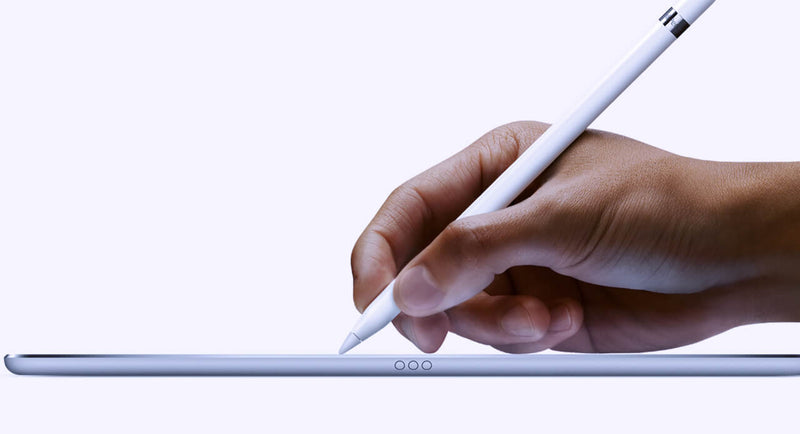
Lately, we’ve been seeing more and more cases where customers report that the iPad display is “not responding properly” when using a pen. At first glance, it looks like a touch issue, but after testing quite a few of these, the pattern is pretty clear. In most cases, the display is actually fine. The difference comes down to the type of pen being used. When we test with an original Apple Pencil, everything behaves as expected. You can write normally, rest your hand on the screen, and the input stays stable. No jumps, no interruptions. But when we switch to a copy pen, things change. If you only use the tip, it often works okay. The moment you rest your hand on the screen while writing, you start seeing issues. Lines break, touch becomes inconsistent, or the screen seems unresponsive. That’s usually the moment customers think the display is defective. From a repair perspective, this is where things go wrong if you’re not careful with testing. If you only test quickly with a pen—especially without resting your hand—you might miss it. If you don’t ask what pen the customer is using, you might approve an RMA that shouldn’t be one. The easiest way to avoid this is to go back to basics when testing: First, use your fingers and check the full screen If touch works fine everywhere, that already tells you a lot Then test with an original Apple Pencil (your reference) Only after that, test with a third-party pen and simulate real usage (including resting your hand) That last part is important because that’s exactly where copy pens tend to fail. It’s not the screen struggling—it’s the pen not handling palm rejection properly. We’ve also found that asking the customer one simple question upfront saves a lot of time: “Are you using an original Apple Pencil?” In many cases, that alone points you in the right direction. If there’s still doubt, ask for a short video from the customer. You can usually see immediately whether it’s a display issue or just how the pen behaves when the hand is on the screen. Key takeaway If the display works fine with touch and behaves correctly with an original pen, then it’s not a screen problem. What looks like a defect is often just the limitation of a copy pen. Catching this early means: Fewer unnecessary returns Less back-and-forth with customers A smoother repair process overall      

Lê mais
  • MUDAR O VIDRO TRASEIRO DO IPHONE, MAIS FÁCIL DO QUE NUNCA!

    MUDAR O VIDRO TRASEIRO DO IPHONE, MAIS FÁCIL DO QUE NUNCA!

    Written by: Carlos Saca and Carlos Saca Jr. from HANK.    As technicians, one of the most common repairs in our workshops is the change of the rear back glass. In the case of iPhones, from series 8 and onwards, it has always been a challenge. In this blog, we'll talk about the three most common methods and, of course, our recommendation. As a first method, you can change the entire chassis and frame of the device. This may seem like the best option at first glance, but it has its drawbacks. For example, the time we spend changing the chassis is too much compared to the profit we get. In addition, by disassembling and assembling, we run the risk of an installation failure. All this without taking into account that, since the chassis is not an original part, there may be compatibility or signal problems. Second, we can change of the back cover with our own hands. Sometimes, the most bold technicians have dared to change the back cover simply with the help of their heat gun and some spatula tool. However, the chances that this won't work out are extremely high. Experience has shown us that, even if successful, you can seriously damage device components and hurt your own hands with the broken glass. Finally, (and we think best solution) is repairing with laser machines. These machines are specially designed for this type of challenge. They work with a blue light laser that destroys the glue on the back covers, making our job definitely easier. In our case, we use Forward's Blue Light Laser Separation Machine, which has proven to be accurate, safe and efficient. Once the process is complete, we can use the replacement rear covers that comes with a milimetrically larger hole  in the camera, to save us the time of removing the lens. This is definitely, in our humble opinion, the best option. To read more about the Forward Laser Machine and purchase it, you can visit the following link: https://4phones.eu/products/forward-blue-light-laser-separation-machine The demonstration video of how to use this tool is already available. Check it out on our YouTube channel.    We hope you have a lot of success in your work. Carlos Saca and Carlos Saca Jr., from HANK.

    Lê mais
  • NOVA SUBSTITUIÇÃO DE ECRÃ HUAWEI. NÃO PERCA ESTA INFORMAÇÃO IMPORTANTE.

    NOVA SUBSTITUIÇÃO DE ECRÃ HUAWEI. NÃO PERCA ESTA INFORMAÇÃO IMPORTANTE.

    Huawei just released a new announcement, where it states that in the future, they will offer new P30 screens for the service providers. To make sure the new displays will work on the device, technicians and service centers need to make sure the operation system is the newest version before they change the screen, otherwise it won’t work. Here you can check the possible scenarios: If the mobile phone is operable and the system version is < 11.0.0.x please use this solution. Go to Settings and select “System Updates” Select “Software & Updates” “Check for updates” If it is not the latest version, please update until the version is >=11.0.0.x If the mobile phone is not operable and the system version < 11.0.0.x please use this solution. (Steps to upgrade by using older operable screen) Find an operable older P30 screen and use this screen to replace the broken screen; then restart the phone. Go to the settings and select “System Updates” Select “Software & Updates”. “Check for updates” If it is not the latest version, please update until the version is >=11.0.0.x Change the new screen. If the mobile phone is not operable and the system version < 11.0.0.x please use this solution. (Steps to upgrade by using computer display) Use USB-C to connect with the Phone; Use USB to connect with the keyboard; Use HDMI to connect with the computer monitor; Restart the phone. Wait a few seconds until the word "HUAWEI" is displayed on the computer screen Enter the lock screen password on the keyboard. After the screen is unlocked, the computer screen will display the phone page. Unplug the keyboard cable of the USB interface, connect the mouse, use the mouse to operate the phone and back up your data. Upgrade the system version until 11.0.0.x, then change the front screen. In case of having a system version lower 11.0.0.x and none of the options above are acceptable, please guide the customer to a Huawei authorized Service Center. What if the customer doesn’t want to upgrade his system? There are two options: If you have an older screen model available, you can use this spare part for replacement. If you don’t have any in inventory, please guide the customer to a Huawei Service Center.

    Lê mais
  • O OLED é o único modelo disponível para ecrãs de alta qualidade para iPhone?

    O OLED é o único modelo disponível para ecrãs de alta qualidade para iPhone?

    Escrito por Carlos Saca e Carlos Saca Jr, de Hank. Atualmente, existem diferentes modelos de ecrãs para o iPhone da série X e seguintes. Neste artigo do blogue, vamos falar sobre alguns dos ecrãs mais notáveis e populares do mercado e vamos ordená-los por preço, do mais alto ao mais baixo. Em primeiro lugar, vamos começar com o ecrã original: Os ecrãs originais também são vendidos no mercado como extraídos de outro telemóvel. Estes ecrãs são chamados "PULLED" e, obviamente, são ecrãs OLED HDR, com true tone disponível e função 3D touch. De seguida, vamos falar do Refurbished Display que não é mais do que um ecrã original cuja função de toque foi alterada através de um procedimento de reparação. Este tipo de procedimento de reparação só é possível se o ecrã for original. Não é possível reparar um ecrã compatível. O OLED Soft Display é um ecrã muito semelhante ao original em termos de aspeto e caraterísticas. É fabricado com um material flexível (substrato de plástico) que evita a quebra, tanto durante a utilização como em caso de instalação e/ou manuseamento. Devido ao material plástico, o ecrã é suscetível de sofrer queimaduras no futuro. O OLED Hard Display é um ecrã com o mesmo aspeto e qualidade que o OLED Soft Display. A diferença está, de facto, no material com que é fabricado: o referido substrato de vidro. Isto permite-lhe ser mais barato, mas mais frágil. Pode partir-se mais facilmente do que o ecrã suave quando é manuseado ou cai. Um ecrã OLED (Organic Light Emitting Diode), quer seja do tipo rígido ou flexível, é um ecrã com pixéis que produzem a sua própria luz, mas não contém luz de fundo. Isto significa que o brilho de um ecrã OLED pode ser controlado pixel a pixel, o que permite poupar energia. Ecrãs INCELL, ONCELL e OUTCELL. Estes três tipos de ecrãs são ecrãs do tipo LCD-TFT (Liquid Cristal Display - Thin Film Transistor), mas mais finos do que estes. São mais finos, porque agrupam duas camadas que no caso dos LCD's estavam separadas, o LCD e o Sensor Táctil. A diferença entre INCELL, ONCELL e OUTCELL é o local onde estas duas camadas estão localizadas. No caso do INCELL, este encontra-se no centro e parece ser o que responde melhor ao toque. LCD ou compatível com a classe AAA. Os ecrãs INCELL saem desta tecnologia, mas são mais espessos do que os INCELL pelas razões indicadas acima. Em conclusão, as cores dos ecrãs OLED serão sempre mais vivas e realistas do que as dos ecrãs LCD, incluindo os do tipo INCELL. No entanto, no que se refere ao preço, os ecrãs OLED custam quase o dobro dos ecrãs INCELL. A qualidade de cada tipo de ecrã, em relação à sua duração ao longo do tempo, depende principalmente da qualidade dos materiais com que são construídos e dos controlos de qualidade durante e após o fabrico. De facto, existem alguns fabricantes e muitas empresas de montagem de ecrãs nos países onde são fabricados. Tendo em conta que a qualidade de cada tipo de ecrã depende efetivamente do fabricante, o melhor é verificar a qualidade de cada fornecedor e analisar também as garantias oferecidas para cada produto. Mas tenha em mente que seria irrealista pensar que um ecrã não terá falhas, porque os fabricantes de ecrãs são todos humanos (ninguém é perfeito 😀). Mas o que é realista é que um fornecedor deve ter uma boa qualidade e uma boa garantia para além disso. Para tornar esta explicação um pouco mais específica, fizemos alguns testes através de um vídeo, neste caso, com os ecrãs INCELL e OLED, comparando-os com o ecrã Original, para que possa ver essas diferenças por si mesmo. Gostaria de dar uma olhadela? Esperamos que esta informação tenha ajudado. Além disso, sinta-se à vontade para utilizar este vídeo no futuro para dar aos seus clientes uma explicação mais visual das diferenças entre os ecrãs, para que possam ser eles a tomar a decisão sobre qual o ecrã a utilizar.

    Lê mais
  • Qual é a forma mais fácil de soldar e dessoldar as placas do iPhone Series X e 11?

    Qual é a forma mais fácil de soldar e dessoldar as placas do iPhone Series X e 11?

    Escrito por Carlos Saca e Carlos Saca Jr. Existem muitas maneiras de soldar e dessoldar as placas do iPhone Series X e 11. Neste blog, vamos mencionar aquelas que conhecemos e que são mais eficazes: Usando simplesmente a pistola de calor e uma pinça: este método pode não necessitar de ferramentas adicionais às que já temos nas nossas oficinas de microeletrónica, mas requer muita perícia por parte do técnico, e como este só tem uma mão livre (porque tem de segurar a pistola de calor com uma das mãos), mesmo que seja um perito, pode por vezes cometer, na melhor das hipóteses, alguns erros demorados. Utilizar um pré-aquecedor e um suporte para segurar a placa enquanto a revende: Esta técnica consiste em aquecer a placa para a dessoldar e voltar a soldar. Um suporte é colocado enquanto a placa está a reaquecer. Neste procedimento, uma vez fixada a placa e desligado o pré-aquecedor, a placa é normalmente deixada no pré-aquecedor com o suporte até estar completamente fria. Esta técnica, embora eficaz, faz com que a placa receba calor durante demasiado tempo. Eis o nosso método preferido e, na nossa humilde opinião, o mais simples de todos: consiste em utilizar um pré-aquecedor, uma pinça e um cortador. Primeiro, coloque a placa no pré-aquecedor, aguarde alguns minutos e retire a camada superior utilizando o cortador e a pinça. De imediato, é necessário retirar a placa para que não sobreaqueça. De seguida, retire a resina interna e verifique se os pads de ligação são do mesmo tamanho, uma vez que, por vezes, alguns pads de ligação esticam (especialmente os pads de ligação à terra). Se for esse o caso, pode cortá-las com o cortador. Em seguida, colocar um pouco de fluxo à volta de toda a placa, colocar a camada superior muito bem alinhada, esperar alguns minutos... e já está. Só vai utilizar o pré-aquecedor. Neste caso, pela sua eficácia e simplicidade, recomendamos o pré-aquecedor Qianli Mega Idea, disponível para os modelos iPhone X, Xs, Xs Max, 11, 11 Pro e 11 Pro Max. Também pode encontrar muitos outros produtos em 4phones.eu.

    Lê mais
  • Reballing fácil para iPhone série X e superior

    Reballing fácil para iPhone série X e superior

    No passado, o reballing para iPhone série X e 11 era um pouco "desconfortável" de fazer. Agora, com as nossas ferramentas Qianli, é possível fazer um reballing fácil para estes modelos de telemóvel. As funções são claras e simples. Eis os passos que tem de seguir: Primeiro, tem de colocar metade da peça na base da plataforma a ser reballinizada. Colocar o modelo sobre a base e aplicar a pasta de soldadura. Retirar o modelo antes de aplicar o calor. Aplicar o calor com a pistola quente ou com o ferro de soldar. Se necessário, completar as esferas em falta. Limpe-a com álcool, uma escova e um cotonete. Aquecer e colar a outra parte com fluxo. Retirar a peça da base da plataforma. E pronto! Como se pode ver, é muito fácil fazer o reballing quando se tem os materiais corretos. Se quiser ver e comprar as Plataformas de Reballing para todos os modelos de iPhone, consulte-as neste link: https:4phones

    Lê mais