Nieuws

iPad Display Issues with Stylus: Why Copy Pens Cause Touch Problems

iPad Display Issues with Stylus: Why Copy Pens Cause Touch Problems

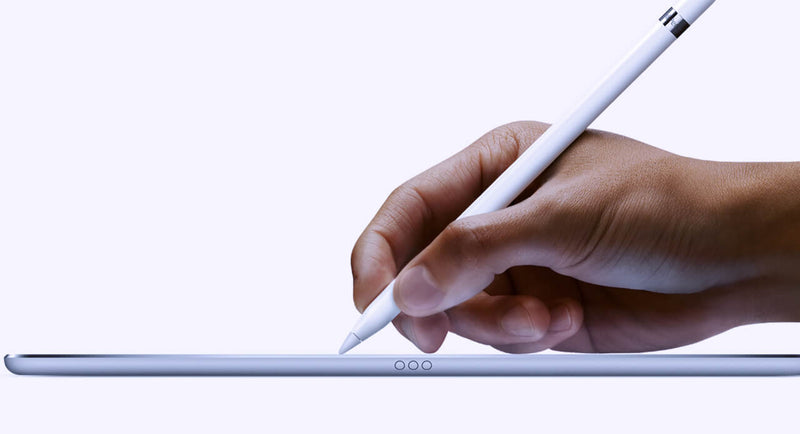
Lately, we’ve been seeing more and more cases where customers report that the iPad display is “not responding properly” when using a pen. At first glance, it looks like a touch issue, but after testing quite a few of these, the pattern is pretty clear. In most cases, the display is actually fine. The difference comes down to the type of pen being used. When we test with an original Apple Pencil, everything behaves as expected. You can write normally, rest your hand on the screen, and the input stays stable. No jumps, no interruptions. But when we switch to a copy pen, things change. If you only use the tip, it often works okay. The moment you rest your hand on the screen while writing, you start seeing issues. Lines break, touch becomes inconsistent, or the screen seems unresponsive. That’s usually the moment customers think the display is defective. From a repair perspective, this is where things go wrong if you’re not careful with testing. If you only test quickly with a pen—especially without resting your hand—you might miss it. If you don’t ask what pen the customer is using, you might approve an RMA that shouldn’t be one. The easiest way to avoid this is to go back to basics when testing: First, use your fingers and check the full screen If touch works fine everywhere, that already tells you a lot Then test with an original Apple Pencil (your reference) Only after that, test with a third-party pen and simulate real usage (including resting your hand) That last part is important because that’s exactly where copy pens tend to fail. It’s not the screen struggling—it’s the pen not handling palm rejection properly. We’ve also found that asking the customer one simple question upfront saves a lot of time: “Are you using an original Apple Pencil?” In many cases, that alone points you in the right direction. If there’s still doubt, ask for a short video from the customer. You can usually see immediately whether it’s a display issue or just how the pen behaves when the hand is on the screen. Key takeaway If the display works fine with touch and behaves correctly with an original pen, then it’s not a screen problem. What looks like a defect is often just the limitation of a copy pen. Catching this early means: Fewer unnecessary returns Less back-and-forth with customers A smoother repair process overall      

Meer lezen
  • IFA Berlijn 2022 - Hoogtepunten van een geweldig evenement!

    IFA Berlijn 2022 - Hoogtepunten van een geweldig evenement!

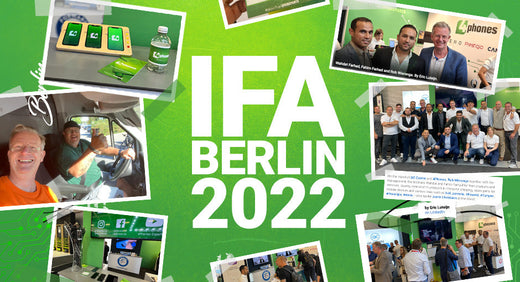
    It is difficult to summarize our experience at IFA Berlin 2022 in short words, because it involves a lot of organization, effort, brands and people. That is why, we decided to ask the ones involved first-hand, how they felt being there. In this blog post you will enjoy a compilation of real opinions of 4Phones exhibitors that were at IFA and their opinions on how this type of events impact the technological and therefore the repair industries. “After 2 years of Covid, we were lucky to have the opportunity to meet our customers at IFA. Although we are an online company, business is about personal touch and people. We find these opportunities of connecting very important. We had a successful event and are grateful that we got the chance to meet and talk with current and new customers. I want to thank the partners that were involved in the whole IFA process, our team that has worked hard to make this a reality and of course our amazing customers that took the time to visit us”. - Jurrie Christians, Managing Director, 4Phones. “My experience at IFA was quite interesting. I felt that we were able to create new contacts and possible business with customers and at the same time cement relationships with our customers who had the opportunity to visit us. The 4Phones brand also gained a lot of visibility in the market in which we operate, and possible connections to other markets. It was without a doubt a very satisfying experience both on a personal and business level and from which I think we will get a lot of return as a brand.” - Paulo Santos, Sales Manager 4Phones Portugal "After three years, in 2022, IFA once again had a face-to-face edition, it was a great experience. Technology companies, the press, and the public finally had the chance to return to the halls of the Messe Berlin Exhibition center. I want to sincerely thank all customers and partners for sharing their precious time with us at our booth, and give a special thanks to all colleagues who have worked very hard to have made this event happen. I'm looking forward to meeting you all again at IFA 2023!" - Ronnie Stevens, General Director 4Phones España. “Now as we have have the IFA held in Berlin where 4Phones has participated as an exhibitor behind us, we may for sure say that we are utmost satisfied with the number of visitors we had hosted at our stand. Besides having new customers from all over the world we had the opportunity to meet friends, solution partners and long term customers. Growth is getting tougher in the face of new market dynamics: rising consumer expectations, increasing competition, and digital demands. In the recent years, professional services businesses have experienced enormous change: buyer behavior has changed, and it has proven difficult to keep up with. However, during this time 4Phones has performed exceptionally well, growing way much faster compared to any other company in its sector. We are proud with our international team distributed to 6 countries but act as a united team.” - Mesut Sakalli, Sales Manager 4Phones Turkey. Last but not least, we would like to give a big thank you to our partners that participated and made IFA possible: Canyon, Lograr, JK Digital Displays, Forward, QC Centre, Perenio, Aeno, Prestigio and Loqed. For us at 4Phones, it was a complete privilege to be a part of this amazing event. See you again at IFA 2023!

    Meer lezen
  • Hoe identificeer en diagnosticeer je Face ID-storingen?

    Hoe identificeer en diagnosticeer je Face ID-storingen?

    Een van de meest voorkomende iPhone storingen is een Face ID die niet werkt. Deze storing kan worden onderverdeeld in twee veelvoorkomende storingen: in de cameramodule is de Dot Projector beschadigd en aan de andere kant is er in de headset flex een storing door een defect van de infraroodverlichting in de nabijheidssensor of Yogi. De eerste storing komt overeen met een defect in de Dot Projector en geeft de volgende berichten weer op de interface van de mobiele telefoon: Het apparaat geeft aan dat Face ID niet actief is: "Face ID is uitgeschakeld. Er is een probleem gedetecteerd met Face ID. Ga voor meer informatie naar instellingen". "Face ID is niet beschikbaar, probeer Face ID later in te stellen"; er staat ook: "Er is een probleem gedetecteerd met de TrueDepth-camera. Face ID is uitgeschakeld". Een andere gerelateerde storing wordt in de interface aangegeven als: "Beweeg de iPhone een beetje op en neer" en wordt nooit gelokaliseerd. Dit kan komen doordat je de frontcamera hebt verplaatst, wat betekent dat de thermische camera ook is verplaatst. Het kan ook komen door kwaliteitsproblemen als gevolg van het verwisselen van het scherm, dus wees hier zeker van voordat je deze procedure uitvoert. De tweede fout is een beetje anders en komt overeen met de flexor die de Yogi bevat: De iPhone geeft aan dat Face ID niet herkend kan worden, in dit geval kan het apparaat de melding weergeven: "Face ID kon niet worden geactiveerd op deze iPhone". Het kan ook hetzelfde bericht weergeven als bij de eerste storing: "Face ID is niet beschikbaar. Probeer Face ID later in te stellen". Herkent niet het hele gezicht. Nadat je aan de hand van het bericht hebt vastgesteld bij welke fout de Face ID-storing hoort, kun je deze repareren, of de dotprojector in de frontcameramodule of de yogi in de nabijheidssensor. Wil je weten hoe je iPhone Face ID repareert? Bekijk de video op ons YouTube-kanaal, waarin het proces van het repareren van deze storing in detail wordt uitgelegd.

    Meer lezen
  • Hoe uw Forward kalibreren

    Hoe uw Forward kalibreren

    Of u nu net begint of het al een tijdje geleden is dat u hem voor het eerst gebruikte, het kalibreren van uw Forward lasermachine is essentieel om goed te functioneren. Waarom? Als u dat niet doet, kan de laser millimeters van het glas af bewegen en het chassis verbranden. Hoe kalibreert u de machine? De sleutel tot de juiste kalibratie zijn de kristallen die bij de machine worden geleverd. Het eerste wat je moet doen is een van deze kalibratiekristallen bovenop een metalen stuk leggen dat ook bij de aankoop wordt geleverd, in de machine, alsof het een mobiele telefoon is; ga dan naar "Ontgrendelen", "Carving", ga naarForward" en druk op "Cijfers". Het kristal zal beginnen te branden. Als het klaar is, krijg je een tekening van de positie van je machine in de X- en Y-ruimte. Kijk naar de tekening die het maakt op het kristal. Een perfect gekalibreerde tekening moet het buitenframe en het binnenframe op één lijn brengen. Als het niet gekalibreerd is, moet je het doen. Je moet kijken welke parameters van de machine in de X- en Y-ruimte overeenkomen met de tekening die de machine heeft gemaakt. We zoeken ze op de volgende manier: Instellingen, Midden, typecode 101515 en we zien dat dit overeenkomt met Y: 49,450mm en X: 106,700mm. Natuurlijk zal je machine je andere parameters geven en moet je hem kalibreren volgens de principes die we hebben uitgelegd, maar met andere getallen; met het resultaat dat je zelf krijgt. Het volgende dat je moet doen is interpreteren welke afstelling elke as, X en Y, nodig heeft op je eigen machine. Dit betekent dat je precies moet weten of je bij elke as getallen moet optellen of aftrekken. Als je merkt dat de X-as iets naar rechts moet, moet je getallen optellen en als je merkt dat hij iets naar links moet, moet je getallen aftrekken. Je moet tienden optellen of aftrekken; probeer 0,100 mm aan elke kant. Bijvoorbeeld Y: 49,450mm - 0,100mm = 49,350mm. Bijvoorbeeld X: 106,700mm + 0,100mm = 106,800mm. We kopiëren het resultaat voor elke as in de machine en klikken op "opslaan". Kijk nu hoe het eruit ziet en voeg beetje bij beetje iets toe of trek iets af totdat je de beste kalibratie hebt gevonden. Als je wilt zien hoe je de Forward lasermachine kalibreert, bekijk dan onze nieuwste video waarin we alles uitleggen en laten zien: Koop de Laser Forward machine hier.

    Meer lezen
  • Over circulariteit en duurzaamheid: een interview met Jurrie Christians van 4Phones

    Over circulariteit en duurzaamheid: een interview met Jurrie Christians van 4Phones

    This month, the newest edition of the Dutch magazine “Circulaire It” was released, in which an interesting interview with our Managing Director, Jurrie Christians, can be found. In this interview, Jurrie mentions the importance of the repair industry in the reduction of technological waste, while explaining that 4Phones is part of a circular model where every piece sold has a complete life cycle. This means that parts don’t end up in the trash can, but sometimes are re-purchased from customers for recycling purposes with the 4Phones Buyback program. In the same article, we also get to know about Rob Wierenga from QC Centre Europe, a fulfillment company that works from China with over 80 customers worldwide. Their role in this circular business model is vital, as the impact of transportation can be one of the biggest polluters. QC’s solution to this was very smart, as they started joining orders from different companies in the same shipment, saving not only money but also helping the planet in the long run. We from 4Phones strongly believe that these small efforts are the ones that will eventually generate a real change in the future. Little by little, and with everyone contributing, we can really reduce the ecological footprint our day-to-day activities are leaving. If you want to read the whole article, written by Rashid Niamat, click here: NOTE: The article is originally written in Dutch, but there is an English translation available. For more information about 4Phones email Jurrie Christians at jurrie@4phones.eu or call +316 240 959 23. Want to know more about QC Centre? Contact Rob Wierenga at rob@qc-centre.com or call +316 229 742 48.

    Meer lezen
  • LCD IPHONE IN-CELL JK: HOE WEET JE OF HET NEP OF ORIGINEEL IS?

    LCD IPHONE IN-CELL JK: HOE WEET JE OF HET NEP OF ORIGINEEL IS?

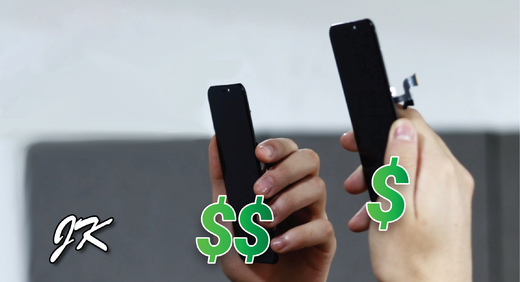
    "Hoe kunnen andere distributeurs JK-In-cell-schermen goedkoper hebben, terwijl 4Phones de officiële distributeur van het merk JK Digital Display is?" Na onderzoek zijn we erachter gekomen dat deze "goedkope JK-schermen" nep zijn. In onze PDF-handleiding en YouTube-video leggen we de verschillen uit en vertellen we je hoe je deze nepschermen kunt herkennen. DOWNLOAD ONZE GIDS: HERKEN VALSE JK SCHERMEN BEKIJK ONZE GEDETAILLEERDE VIDEO OVER DE VERSCHILLEN

    Meer lezen