News

iPad Display Issues with Stylus: Why Copy Pens Cause Touch Problems

iPad Display Issues with Stylus: Why Copy Pens Cause Touch Problems

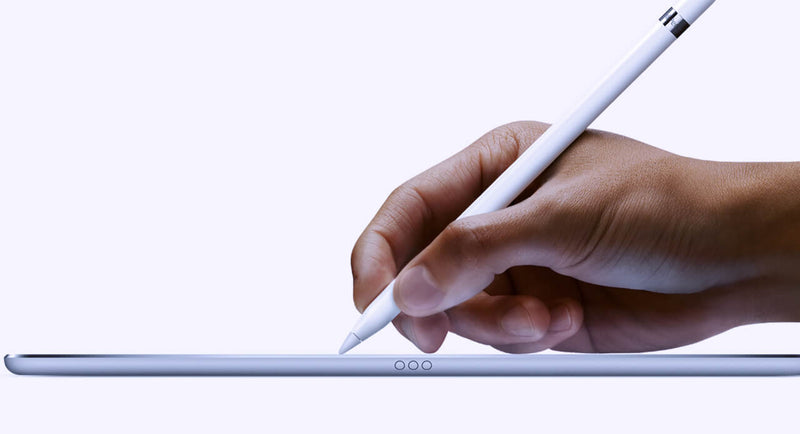
Lately, we’ve been seeing more and more cases where customers report that the iPad display is “not responding properly” when using a pen. At first glance, it looks like a touch issue, but after testing quite a few of these, the pattern is pretty clear. In most cases, the display is actually fine. The difference comes down to the type of pen being used. When we test with an original Apple Pencil, everything behaves as expected. You can write normally, rest your hand on the screen, and the input stays stable. No jumps, no interruptions. But when we switch to a copy pen, things change. If you only use the tip, it often works okay. The moment you rest your hand on the screen while writing, you start seeing issues. Lines break, touch becomes inconsistent, or the screen seems unresponsive. That’s usually the moment customers think the display is defective. From a repair perspective, this is where things go wrong if you’re not careful with testing. If you only test quickly with a pen—especially without resting your hand—you might miss it. If you don’t ask what pen the customer is using, you might approve an RMA that shouldn’t be one. The easiest way to avoid this is to go back to basics when testing: First, use your fingers and check the full screen If touch works fine everywhere, that already tells you a lot Then test with an original Apple Pencil (your reference) Only after that, test with a third-party pen and simulate real usage (including resting your hand) That last part is important because that’s exactly where copy pens tend to fail. It’s not the screen struggling—it’s the pen not handling palm rejection properly. We’ve also found that asking the customer one simple question upfront saves a lot of time: “Are you using an original Apple Pencil?” In many cases, that alone points you in the right direction. If there’s still doubt, ask for a short video from the customer. You can usually see immediately whether it’s a display issue or just how the pen behaves when the hand is on the screen. Key takeaway If the display works fine with touch and behaves correctly with an original pen, then it’s not a screen problem. What looks like a defect is often just the limitation of a copy pen. Catching this early means: Fewer unnecessary returns Less back-and-forth with customers A smoother repair process overall      

Read more
  • Mobile Phone Repairing Tools & Equipment | Tools to Repair Mobile Cell Phone

    Mobile Phone Repairing Tools & Equipment | Tools to Repair Mobile Cell Phone

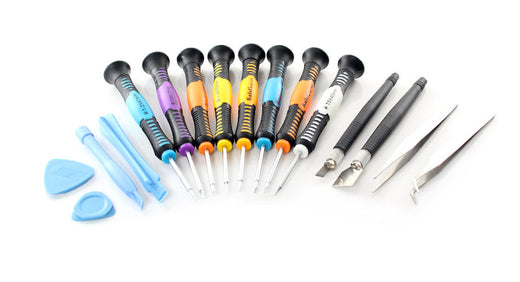
    How to Select Mobile Phone Repairing Tools When selecting mobile phone repairing tools and equipment, it is important to select the best tools, even if it costs little more. Cheap or inexpensive tools and equipment may not be handy or comfortable (ergonomic) when repairing a mobile cell phone. On the other hand, little expensive but best quality tools and equipment will help you to repair a mobile phone easily and comfortable. I am personally trained in mobile cell phone repairing and my personal experience says that we must always select and buy the best tools available in the market or online. These good quality tools may cost a little more but in the long term you will be happy that you bought the best tools. List of Professional Mobile Phone Repairing Tools & Equipment There are hundreds of tools for mobile phone repairing available in the market. It is important to select the best brand. Below is list of all the professional tools and equipment needed for mobile cell phone repairing: 1. Soldering Iron A soldering iron is used to solder small components like capacitor, resistor, diode, transistor, regulator, speaker, microphone, display etc. A 50 watt soldering iron is good enough for most mobile phone repairing job. When buying a soldering iron, select the one that is easy to hold and does not burn you hand. The soldering iron must have option to choose and select different types and shapes of soldering tips or bits. These tips or bits must be replaceable. It must also be ESD-Safe (Antistatic) because most electronic components in a mobile phone are very sensitive and can get damaged due to static charge or static electricity. Goot and Weller are two world renowned brands who manufacture, sell and export world class soldering irons and other soldering tools and equipments. 2. Soldering Station A soldering station has 2 units – a station and an iron. It has option to control temperature depending on the heat requirement of the soldering job being done. The soldering iron is attached with the soldering station. It is better and more convenient than traditional soldering iron. It makes soldering work much easier and faster. When buying a soldering station for mobile phone repairing one must always select an ESD-Safe (Antistatic) model. Goot, Weller and Soldron are some good and trusted world renowned brands who manufacture, sell and export world class soldering irons and other soldering tools and equipments. 3. PCB Holder / PCB Stand A PCB (Printed Circuit Board) holder or PCB stand is used to hold different types of PCB of a mobile phone while soldering or repairing. It holds the PCB very strongly and doesn’t allows it to move thus helping in repairing. Again, it is important and wise to select a good quality PCB holder rather than a cheaper and inexpensive one. 4. Solder Wire Solder wire is used to solder electronic components, ICs or jumper. Composition of most solder wire is Tin / Lead in the ratio 60:40 or 63:37. Since the introduction of RoHS (Restriction of Hazardous Substances) from electronics, more and more companies are using lead-free solder. Lead-free solder wire is available in many compositions but the most common composition is Tin / Silver / Copper in the Ratio 96.5% / 3.0% / 0.5. Solder wire is available in different diameters such 2.0mm, 1.5mm, 1.0mm, 0.5mm, 0.2mm etc. For mobile phone repairing 0.5mm solder wire is best suitable. Alpha Cookson is a world renowned manufacturer and supplier of solder wire and other soldering material. 5. Multimeter A multimeter can be analog or digital. In mobile phone repairing, mostly a digital multimeter is used to find faults, check track and components. Always buy a good quality reliable ESD-Safe digital Multimeter for mobile repairing works. 6. Antistatic Mat (ESD Mat) An ESD Mat or Antistatic Mat is laid or placed on the table or workbench where mobile repairing is done. The mat is grounded using a grounding cord or normal grounding wire. This prevents damage from static electricity. 7. Microscope or Magnifier These used to see a magnified view of PCB or electronic components. These are available in different zoom options like 2X, 3X, 5X, 10X etc. Many microscopes can also be connected to a computer or a monitor. Because SMD components on a Mobile Phone PCB are very tine, we need a magnification equipment tool or equipment to see the PCB and Components enlarged. There are Tools and Equipment like Microscope, USB Microscope, Table Top Magnifying Lamp and Head Magnifier with LED Light. 8. Magnifying Lamp It is used to see the magnified view of the PCB of a mobile phone. Most magnifying lamps also have light. Magnifying lamps are available in different magnification such as 3x, 4x, 5x, 10x, 50x etc. 9. Hot Air Blower A hot air blower is also called SMD (Surface Mount Device) rework station and SMD repair system. It has control to regulate or manage temperature and flow of hot air. Always buy a good quality ESD-Safe hot air blower. 10. Mobile Phone Repairing Tool Kit A mobile repair electronic tool kits consists of most of the small tools need for most electronic repairing jobs. Most such tools consists of soldering iron, desoldering pump, solder wire, desoldering wick, precision screwdrivers, tweezers etc. So, there is no need to buy all these tools individually. 11. Precision Screwdriver Precision screwdriver is used to unscrew and remove and tighten screws while assembling and dissembling a mobile phone. Precision screwdrivers of sizes T4, T5, T6 and forehead are good and sufficient for most mobile repairing job. 12. Screwdriver Kit A screwdriver kit has several screwdrivers of different shapes and sizes to dissemble and assemble a mobile phone. Aven Tools is a world renowned manufacturer, exporter and supplier of all kinds of tools and tool kits. 13. Mobile Phone Opener These are used to open the housing or body of a mobile phone. Mobile phone openers are available in different shapes and are made of different material like tough plastic or metal. You must always use a non-metallic and ESD-Safe mobile phone openers to avoid any damage due to static electricity. 14. ESD-Safe Cleaning Brush These are used for cleaning the PCB of a mobile phone while repairing. It is important to buy only ESD-Safe cleaning brushes. 15. Tweezers Tweezers are needed to hold electronic components, ICs, jumper wire etc while soldering and Desoldering. Again I suggest to buy and use only an ESD-Safe tweezers. 16. DC Power Supply Regulated DC (Direct Current) power supply is used to supply DC current to a mobile phone. Most repair person used DC power supply to switch ON a mobile phone without battery. It can also be used as a battery booster to boost battery of a cell phone. It can also be used as a multimeter. 17. Battery Booster A battery booster is used to boost the power of battery of a mobile phone. 18. Battery Tester This device is used to test and analyze status or condition of battery of a mobile cell phone. 19. Test JIG Box This device is used to diagnose and find fault or problem in a mobile phone. It helps the mobile phone to work and function normally outside its case or housing. This helps to test and check voltage and other test points on the PCB. It simple words it helps a mobile phone to work without battery. 20. LCD Tester LCD Tester is used to check whether LCD screen of a mobile phone is faulty or not. Source: mobilecellrepairing

    Read more
  • Soldering Temperature

    Soldering Temperature

    4phones continues to complete its tools offer with the incorporation of the international JBC soldering brand, an efficient brand of workstations, soldering tips, heat, hibernation systems and much more.In future posts we will talk a little more about JBC products, and we will present technical operating tips that will surely help you in your repairs.On this occasion we will talk about the ideal welding temperatures in different processes. Which is the suggested soldering temperature in lead free processes? Our experience shows that 90% of solder joints using JBC tools can be performed successfully at 350ºC or less, in any case it is not recommended to exceed 370ºC. Why is it possible to solder at lower using a JBC tool? It is possible because the tip has an extremely fast thermal response.On a conventional iron’s tip there is a strong drop in temperature while the tip is transferring the heat to the board. If the thermal response is slow, the tip does not have the time to recover the temperature, especially if a series of solder joint is performed. This is the reason why the operator is used to select a higher temperature, resulting in short tip life and PCB / component damage. Which are the advantages of soldering at lower temperature? - The tips last much longer because of reduced oxidation. This improves the wettability of the tip and therefore also the heat transfer efficiency. - The flux does not burn directly on the tip, but is activated while soldering. In this way, the tip does not turn dark so quickly and its wettability is better. - The risk of damaging components and pcb through excessive heat transfer is minimized. - The process quality is optimized because there are less rework issues and scraps. Which is the suggested sleep temperature? The factory setting of 220ºC is adequate for most situations. At this temperature oxidation is lowered to a minimum and ramp up to work temperature, when the tool is taken out of it's stand, will be completed in about a second. How do I calibrate my station? Since the technology is based on a microprocessor drive Advanced stations do not require calibration. Source: https://www.jbctools.com/faq-soldering-temperatures-menu-15.html

    Read more
  • Must-Have Mobile Repair Tools for Mobile Phone Repair

    Must-Have Mobile Repair Tools for Mobile Phone Repair

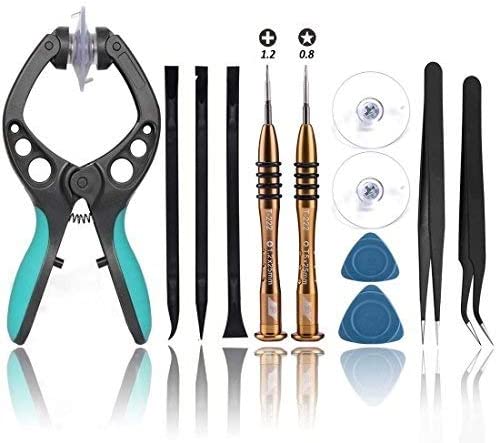
    You might have one mobile phone to fix or might have hundred. It does not matter if you are here for fix latest surface or fix the screen. Whether you are using iPhone, Samsung, Google Pixel, Huawei, Honor, LG, OnePlus, Nokia or any brand Mobile Repairing is without these tools is a tough nut to crack. You need basic Mobile Repair Tool. So Here Top Must have Mobile Repair Tool: Precision Pentalobe Screwdriver 0.8 x 50: The 5-star point screwdriver are designed to work with the bottom case screws on smartphone. The bit driver end cap rotates independently of the handle. It allows full rotation of the handle while maintain constant pressure on the screw. Glue Gun PM230/50: GlueGun will make your work more easily and conveniently when using your glue to repair your phone. The tools are used to help repair technician to squeeze Liquid Optical Clear Adhesive fast and smoothly. Suction Cup Screen Removal Tool (55mm): It allows you to remove your smartphone or tablet screen carefully and easily. Quick lock and release handles create suction for tablet and smartphone screen removal quickly with ease. Rubber suction cup is gentle on tablet and phone screens and doesn’t scratch up surfaces, making screen removal a breeze. Spudger Tool (Set): This opening tool is specially designed for smartphone and tablet and is hard enough to get the case opened, but soft enough not to crack or chip your case. Card Opening Tool: The screen opener pry tool can open most cell phone screes without damage. It can also be used to play guitar. Precision Tweezers: So you have removed the tiny screw and it fell it into the phone. You want to turn it over and shake it out, but the piece you just unscrew would come out of alignment. Use this anti-static tweezers and you can pick the correct screw as well as hold them in place. Screwdriver set: To be able to repair several types of mobile, you need a simple and accurate screwdriver set. If you are going to working on a variety of electronics that will require a constant change you will probably require to invest on this item. Plastic Pry Tool: Specially designed for disassembling and repairing mobile phone. Can help you to move the battery more easily and evenly without damaging it. Double side adhesive tape: To be placed across the top of a top loader. Anti-Static Mat: — When you get a phone to fix you don’t to doing more harm than good. That’s exactly what can happen when you pick up some static and end up frying the electronics when you really wanted to do replace the antenna. Get an Anti-static mat and you will be sure to prevent make things worse than on your next repair. Make sure you have all the necessary equipment before you set the broken phone and tablet down on the table and don´t hesitate to contact us for any more information. Source: Medium.com

    Read more
  • Mobile chargers

    Mobile chargers

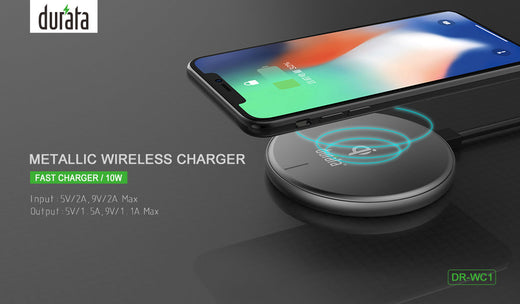
    How to choose the most suitable charger for your device If the USB charger of your mobile or tablet is broken or lost, you can always buy the same original charger again.Although, even keeping the original chargers of your devices, you can also consider the option of searching the market for a new charger that allows you to charge your mobile phone and any other device at the same time in a faster and more efficient way. Why should you buy a mobile charger? As we say, if you are satisfied with your current mobile charger it may not be necessary to buy a new USB charger.But if you'd like to charge multiple devices from a single outlet, or possibly reduce the time it takes for your devices to charge, buying a new charger can be a good, inexpensive investment. What is a fast charger? Before commenting on the characteristics of a mobile charger, we would like to explain a little about the concept of "fast charger".Many users say they want a charger that charges their mobile faster. This is because they do not use the most suitable charger to charge according to which devices:The charging time in our device will depend on the charger used and the current that it is capable of supplying. That is, if your mobile supports a charge of up to 2A and a 1A charger is used, it will take longer to charge than if we use a charger capable of meeting that current demand.Most current chargers have an output of 2A or 2.4A, therefore, we always recommend having a minimum 2A charger. It may be the case that your device charges at a lower current such as 0.5A or 1A but don't worry you can use the charger without problems, it will not damage your device. Features to consider in a mobile charger When deciding on a new charger you must take into account the following points, each of them will have greater or lesser importance depending on the interest in using the charger: Number of ports There are chargers with a single USB port up to 6 ports. Consider:How many devices do you have to charge and / or how many people are you going to use that charger?In general, users prefer chargers with 2-3 ports for personal use, but if you are going to use it in a common area for several people, it would be advisable to choose the one that has a greater number of ports. Charger power (W) Many manufacturers indicate the maximum power that the charger is capable of delivering when charging multiple devices simultaneously.If your intention is to use the charger frequently to charge several devices at the same time, it is advisable to choose a high-power charger.In this way, each port of the charger can provide the necessary current demand for each connected device and thus recharge as soon as possible. Smart Charging Chargers Another interesting feature is knowing if the charger has smart charging.Its operation is as follows: When we recharge several devices simultaneously, the charger detects each connected device and supplies the maximum current that the device supports and is capable of providing said port. Therefore, choosing a charger with a smart charge will always be the most advisable option. Chargers with fast charge and USB C If the mobile phones have Qualcomm fast charging and / or the USB C port implemented, will it be necessary for there to be chargers with these characteristics on the market, right?Well, that's right, many manufacturers have introduced one or more ports with Quick Charge and USB type C into their chargers. Some have even opted directly for chargers with these new charging technologies.In the case of fast charging, this port is marked in a color (green, orange, blue…) different from the other regular ports. Mobile car chargers 🚗 The most modern cars already usually incorporate one or more USB points to recharge the mobile but, if you do not have a new car, do not worry, this functionality can be easily supplied with a mobile car charger.This type of charger will become a must-have accessory for your car while on the way to work or during a long road trip.Its installation is simple, you only have to plug the charger into the cigarette lighter of the vehicle that has an input voltage of 12V (car) or 24V (truck).The charger will provide an output at 5V or 9V and 12V (if it has fast charging) in the USB ports to be able to charge a mobile, a tablet, a camera ... that is, any device that incorporates a USB charging port. Features of a USB car charger The features of a USB car charger are the same as those we explained for a USB wall charger, that is, we will have to take into account: the number of ports, the power (W) capable of supplying, if it has fast charging, type C port ...In 4Phones you will find a wide variety of chargers for mobile phones. Source: Powerbank 20

    Read more
  • GEL AND TEMPERED GLASS SCREEN PROTECTOR: DIFFERENCES

    GEL AND TEMPERED GLASS SCREEN PROTECTOR: DIFFERENCES

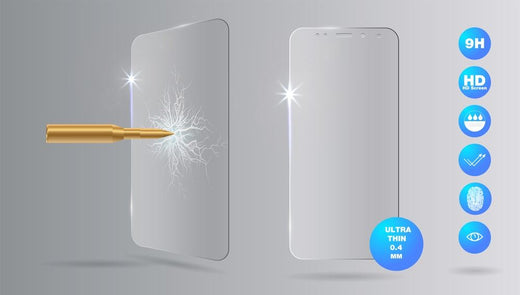
    When choosing a screen protector for our devices, which one is better? The gel screen protector or a tempered glass one? We will talk in this post about their differences and we will analyze other protectors such as plastic ones.The use of mobile phones and tablets is massive. According to the latest figures, a person uses their device an average of two hours a day. In very young people this consumption can even reach 4 hours.Therefore, smartphones and tablets can suffer blows. A blow that breaks the screen is something undesirable because it is the most important fault that you can suffer and the most expensive to fix. On the other hand, if you take the precaution of having a screen protector, you will even feel relieved if it receives a blow. We do not have to tell you that screen protectors also safeguard them from all kinds of scratches or scratches.However, the market there are several types of screen protectors and in this post we have proposed to analyze them so that you have the best information when buying. Let's start: THE GEL SCREEN PROTECTOR The gel screen protector is still widely used to protect phones from both Apple and Samsung, the most expensive brands on the market.However. Keep in mind that the gel screen protector has a couple of flaws that we cannot ignore.The first thing we want to highlight is that when you pass your fingers over this type of mobile screen protector, they are marked, leaving a very visible signal. In other types of protectors this does not happen. It's all due to the gel itself.We also want to highlight as the second most important defect is that the gel screen protector is somewhat unpleasant to the touch.If you have already had one of them, you will have noticed that it has a somewhat lumpy appearance that makes the touch with the screen not adequate.However. We must also recognize that they are effective in the event of a fall or any other blow. PLASTIC SCREEN PROTECTORS Of these protectors we must say that they are effective in case of scratches or scratches. But they are not so in case of blows.One of the great disadvantages that you can find is that they are very difficult to place. It is not strange to observe that small bubbles are always made which makes the visibility of the screen itself quite bad.Another thing you should keep in mind is that they tend to detach from the screen on a regular basis. This is because they pick up a lot of dust from the environment.The only advantage that we can find in this type of mobile device protector is that they are very cheap. Possibly the cheapest on the market. Although it must be borne in mind that other protectors offer many more advantages for a little more price. But you will avoid all the discomforts that we have just mentioned THE TEMPERED GLASS SCREEN PROTECTOR'S ADVANTAGES If we compare the tempered glass protectors, the gel screen protectors and the plastic ones, we find the tempered glass ones that we can already say that they are the best sellers.They offer great resistance to shocks. They are proven to be the most effective and also protect your screen from all kinds of scratches and scrapes.The truth is that tempered glass is used. One of the most resistant materials on the market and which is being used in various production processes such as household appliances.Imagine that many doors of today's ovens are made with tempered glass, capable of withstanding very high temperatures.Another fact that you must take into account is that its placement is very simple. Just wipe the original screen with a dry cloth and dust it off. There will be no bubbles and once it is in place it will never come off. THE EVOLUTION OF SCREEN PROTECTORS FOR PHONES In both gel screen protectors and in the plastic ones we will not find protectors that cover the entire screen.With tempered glass it is possible to cover the whole screen and even adapts to curved screens.Of course, if you have bought a latest generation iPhone, it is the option, the tempered glass that you should take into account the most.Along with its resistance to all kinds of blows, the touch is the same as if you did not have any protection on your device. This is another big difference with respect to the gel or plastic screen protector.In summary, it should be noted that tempered glass is prevailing in the protection of mobile phones and tablets. Source: https://www.cristaltempladomovil.com/blog-noticiascristaltemplado/protector-de-pantalla-de-gel

    Read more